Data protection / AI governance
AI governance
Your company already uses AI. What’s missing is which, who and with what.
Use of artificial intelligence measured, approved and controlled on the workstation
Nobody asked permission to start using AI at work. Before writing the policy, IT needs to know what is already happening: which services, on which machines, for how long and with what data. Tz0 answers with the same agent already on your fleet.
Measurement, rules and evidence in the same agent · everything stays on the company’s server
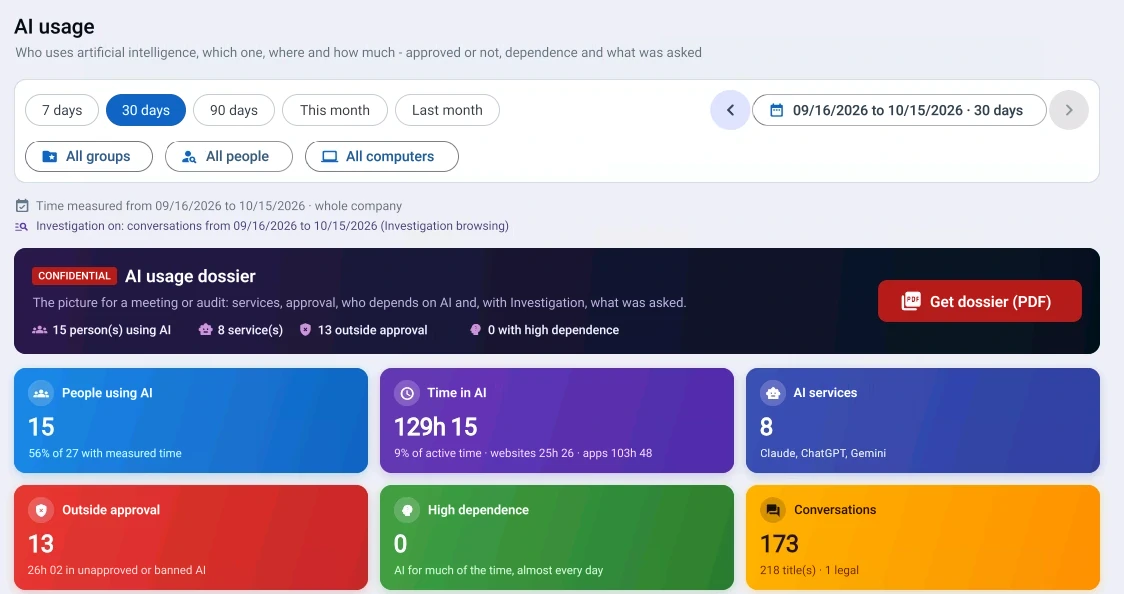
Capture from a fleet in operation. People and machine names are fictitious; numbers intact.
What Tz0 does with AI
See, decide, contain, investigate.
Four questions that come up right after the first AI scare at the company. Each is answered by a part of the product that already exists — and the license decides who sees each part.
See
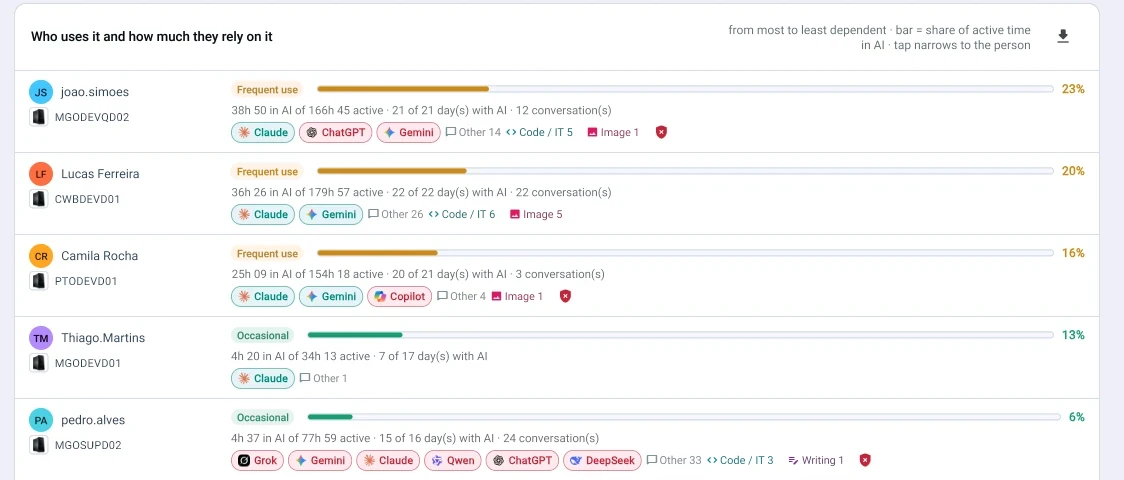
Who uses AI, which service, on which machine and for how long — in the browser and in installed apps, day by day and hour by hour.
Decide
A list of approved AI and allowances per machine group. Whatever falls outside the rule shows up separately, with time and person.
Contain
The rule picks the reaction: keep evidence, e-mail the manager right away, or close the program or tab.
Investigate
What was pasted into AI and where it came from, what went back into a document and which files the AI agent itself saved to disk.
See it in action
AI Governance on video
The real screens, in a few minutes.
The real screens, in under a minute.
AI usage
First, the picture.
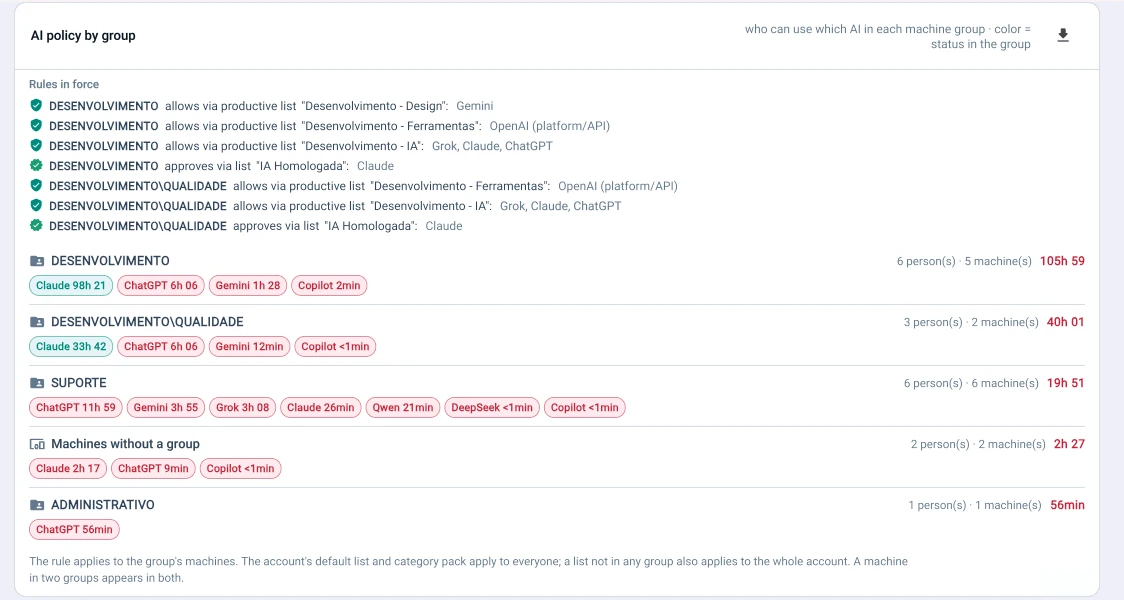
A policy written without measurement is a guess. The AI usage screen counts what the agent saw: service, time, person and machine, split by approval status.
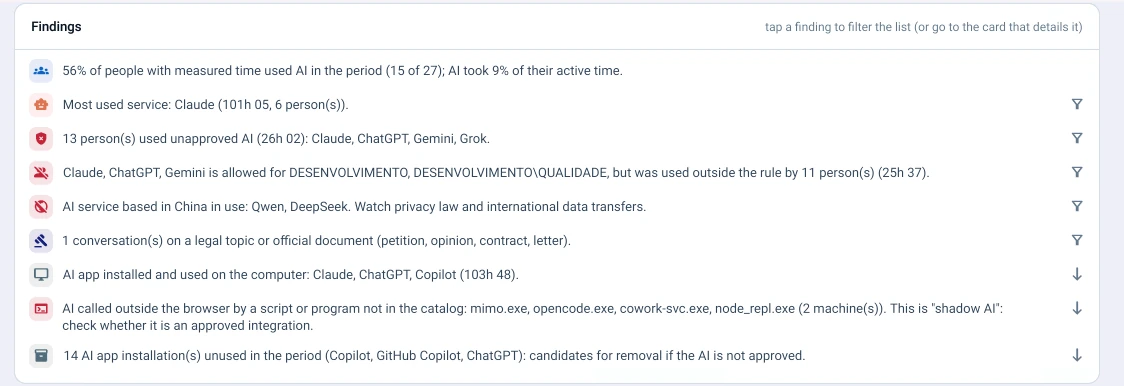
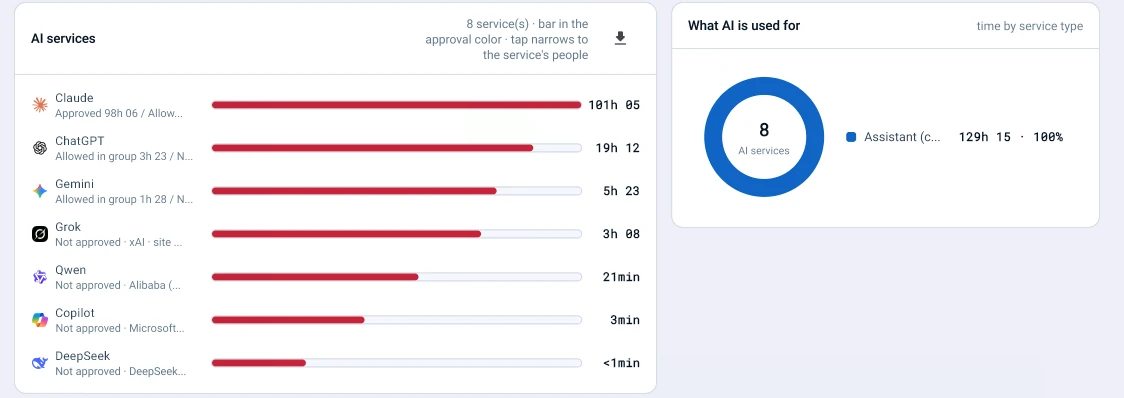
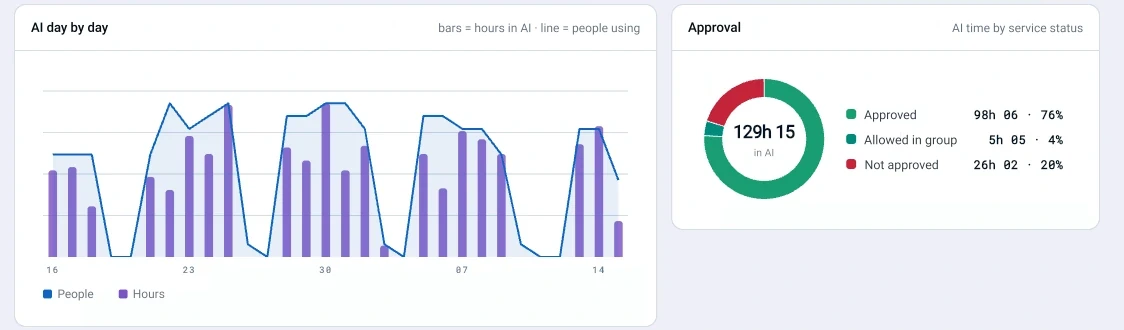
Screens from a real fleet in operation. People, machine and company names are fictitious; numbers, percentages and interface are intact.
Approval
Allowing is not the opposite of blocking.
Banning all AI pushes use onto phones, where nobody measures anything. What works is approving what the company accepts, allowing by group what a team needs and seeing the rest.
Shadow AI
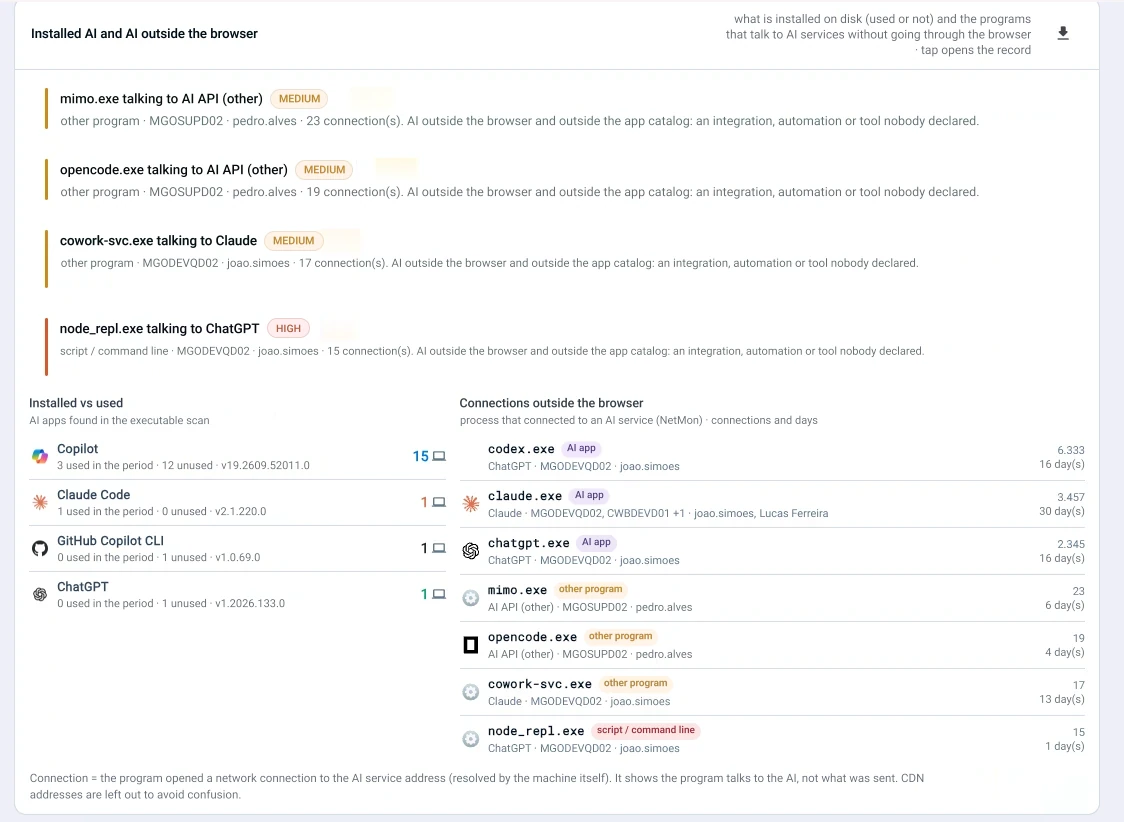
What talks to AI without going through the browser.
Blocking the ChatGPT website does not help when a script on the machine calls the API directly. Tz0 cross-checks what is installed against each program’s network connections and separates known AI apps from what nobody declared.
AI accounts
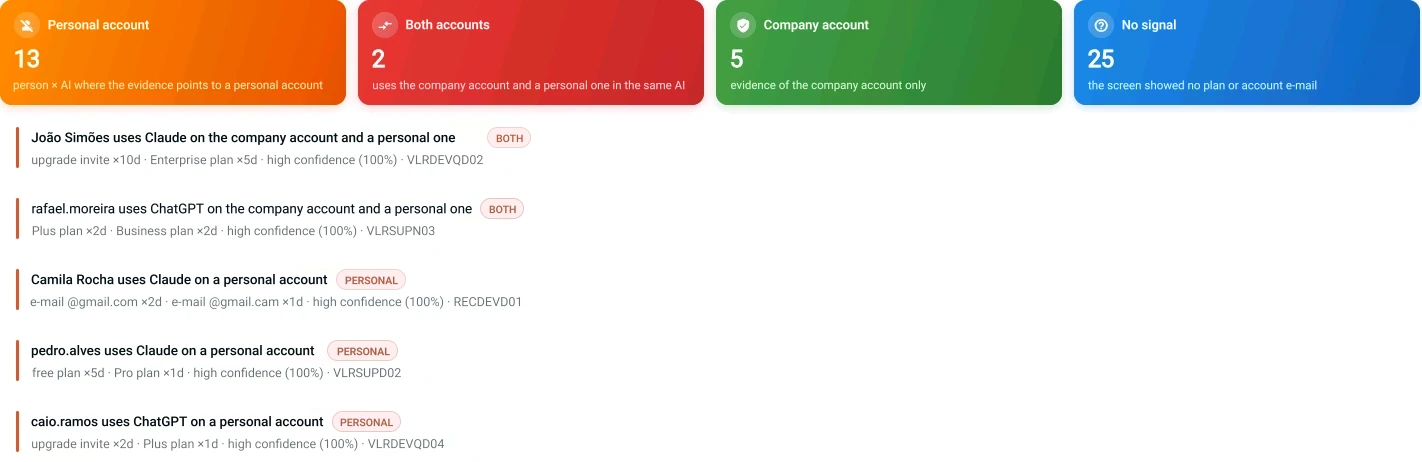
The right tool on the wrong account.
Tz0 reads the plan and e-mail on the AI tool’s own screen and separates who uses the company account from who uses a personal account, or both at once.
Tz0 Security
The rule picks the reaction.
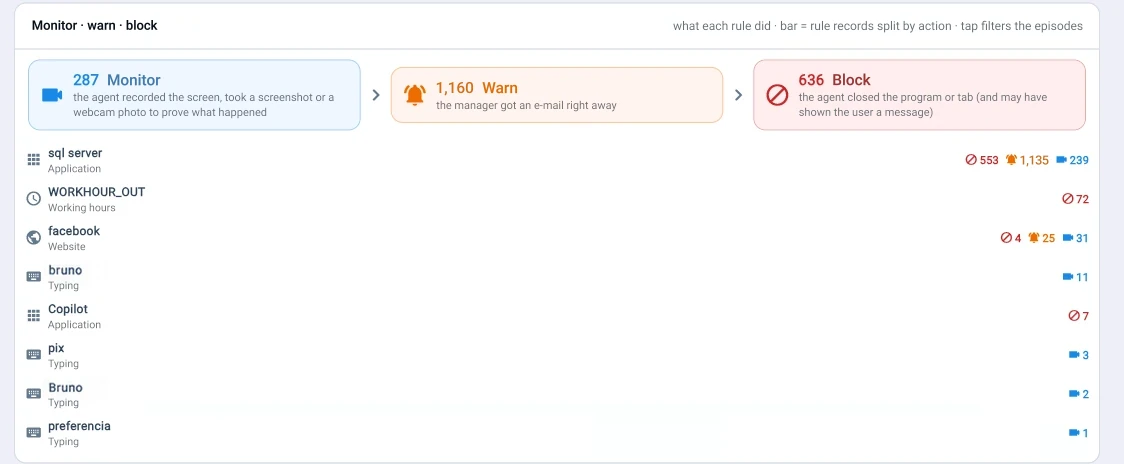
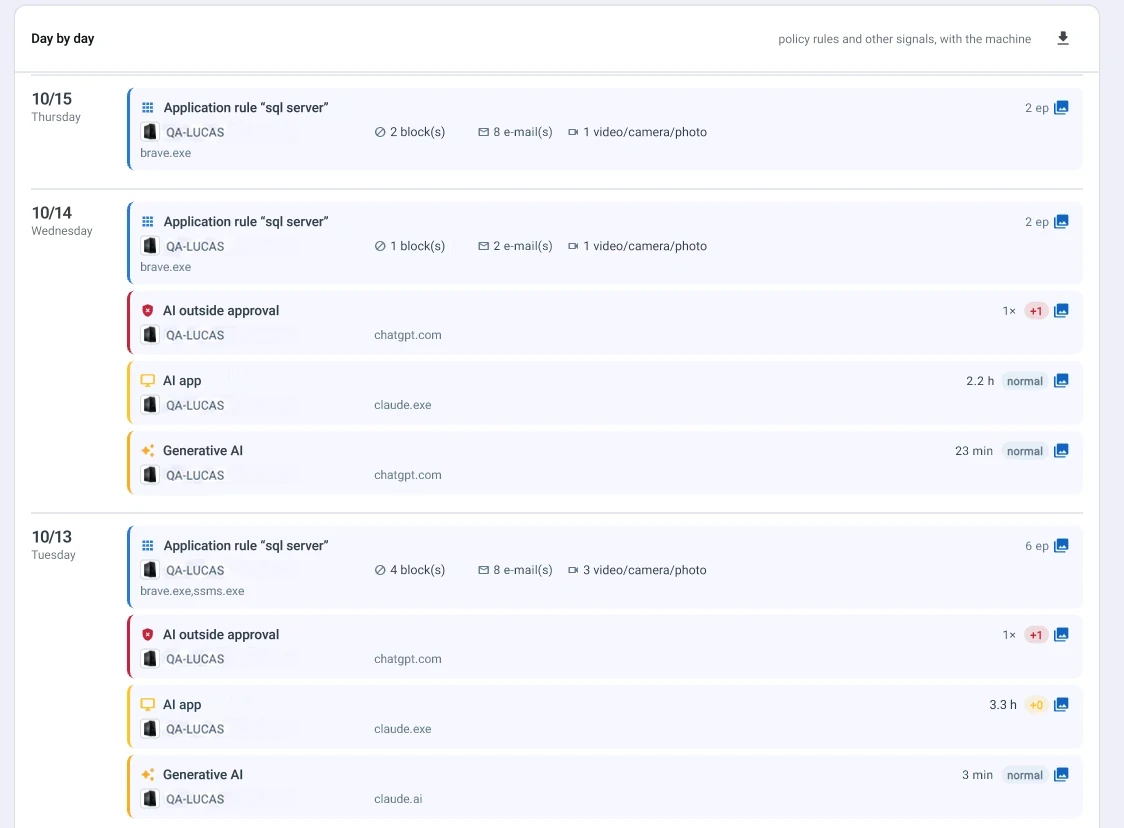
Not every AI outside the rule deserves a block. The Security policy has three steps — monitor, warn and block — and each rule records what it did, so the company can later show the policy was being followed.
Tz0 Forensics
When the question is what was sent.
After a leak, the question is no longer whether someone uses AI but what left the company through it. This part belongs to Forensics and only shows for those with the module license.
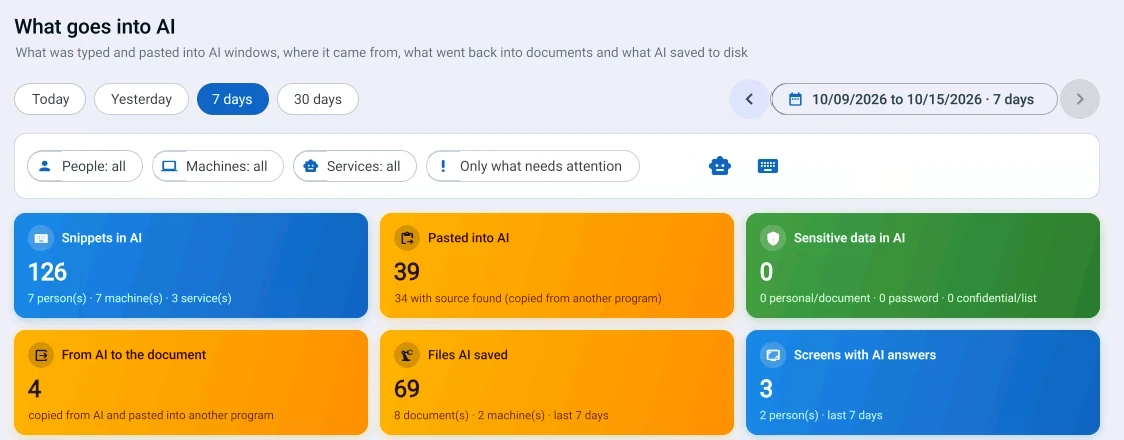
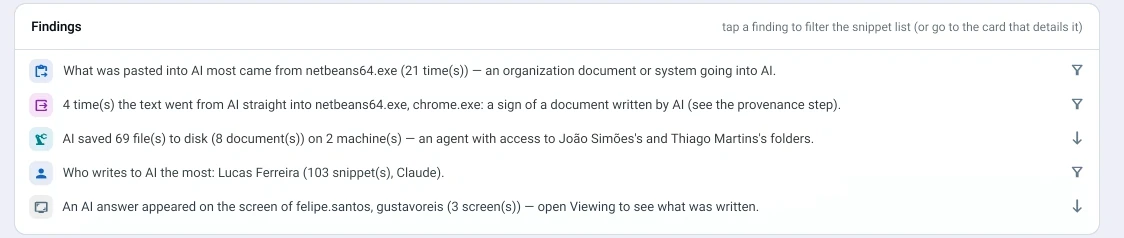
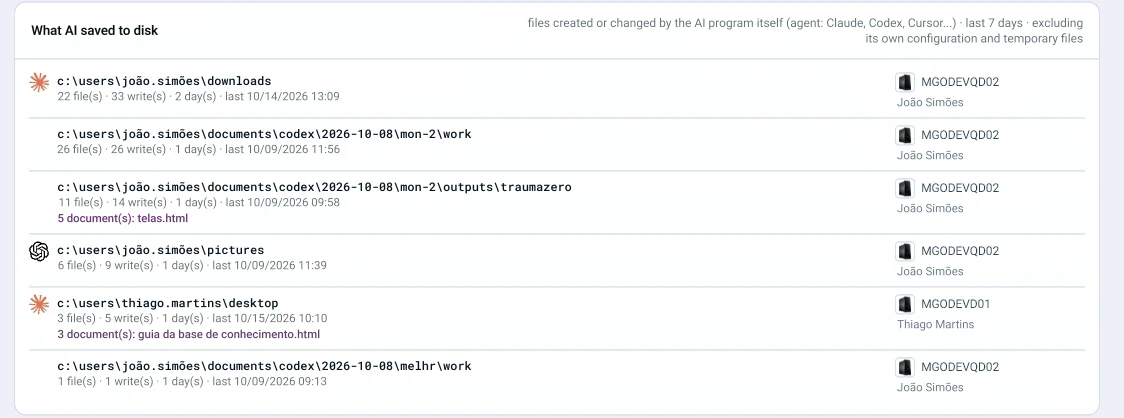
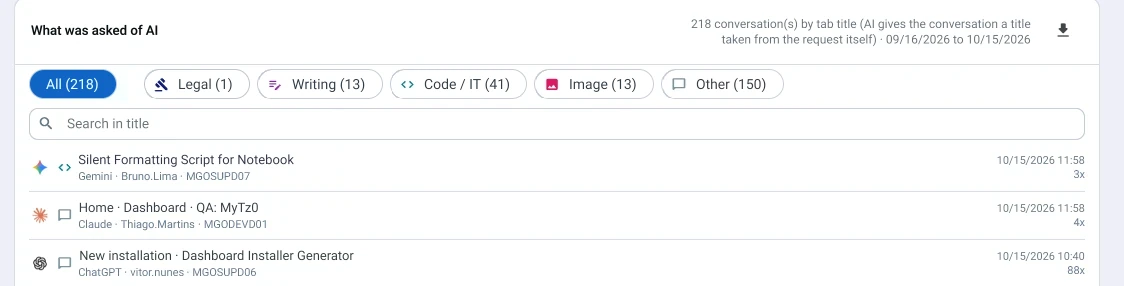
What each profile sees is decided by the license, not by the administrator’s goodwill: a customer without Forensics does not see this part.
Privacy
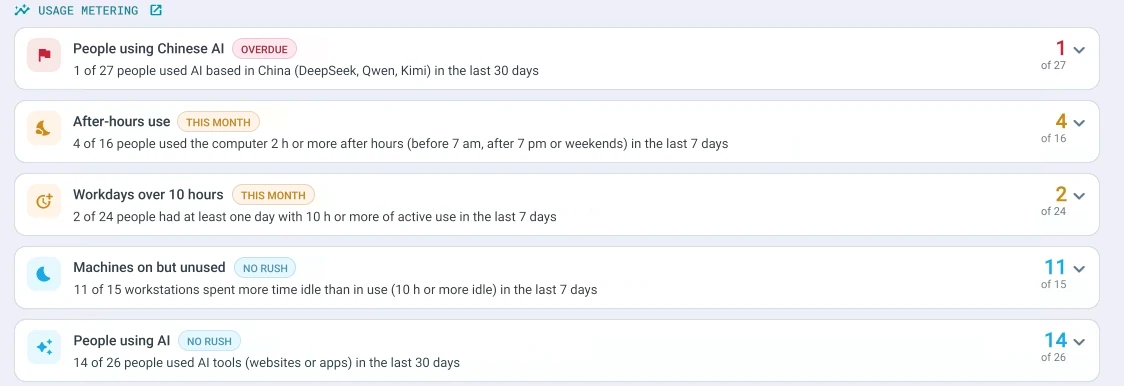
AI hosted abroad is an international data transfer.
Pasting a document into an AI service hosted in another country moves personal data abroad — and privacy laws such as the GDPR regulate exactly that. Tz0 points out when a service based abroad comes into use, so the decision is the company’s, not chance’s.
Transparency
How Tz0 itself uses AI.
Some screens have an AI analysis button, with Claude or OpenAI to choose from. Nothing goes on its own: the analysis only runs when someone clicks Generate analysis, and what goes is that screen’s selection — totals, reasons and counts. Devices stay out, and the screen itself says so next to the button.
Bring your AI policy. We’ll show you what it already catches on your fleet.
A 30-minute technical call: you tell us how the company handles AI today, and we show what Tz0 measures, allows and blocks — in your environment, not an example.