The platform
Seven modules, one agent, one console.
Each module solves a whole problem and is licensed separately. A single agent on the workstation serves all of them, and a single server — yours — holds everything that is collected. You start with what hurts now and switch the rest on without changing infrastructure.
Overview
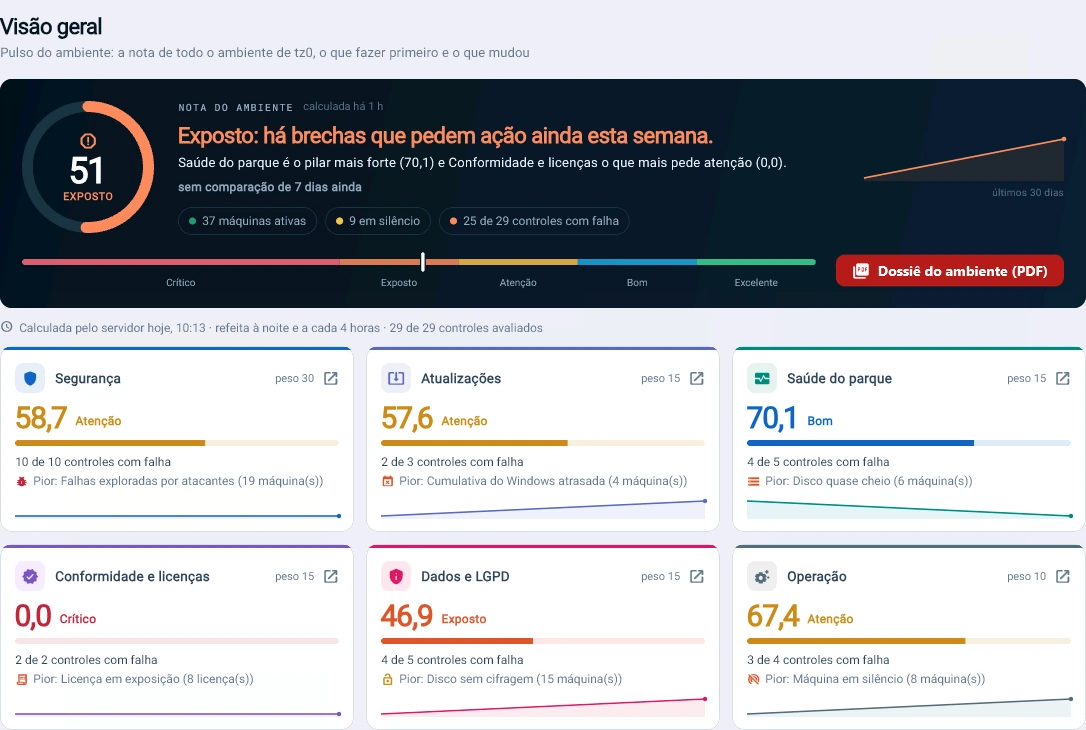
One score for the whole environment.
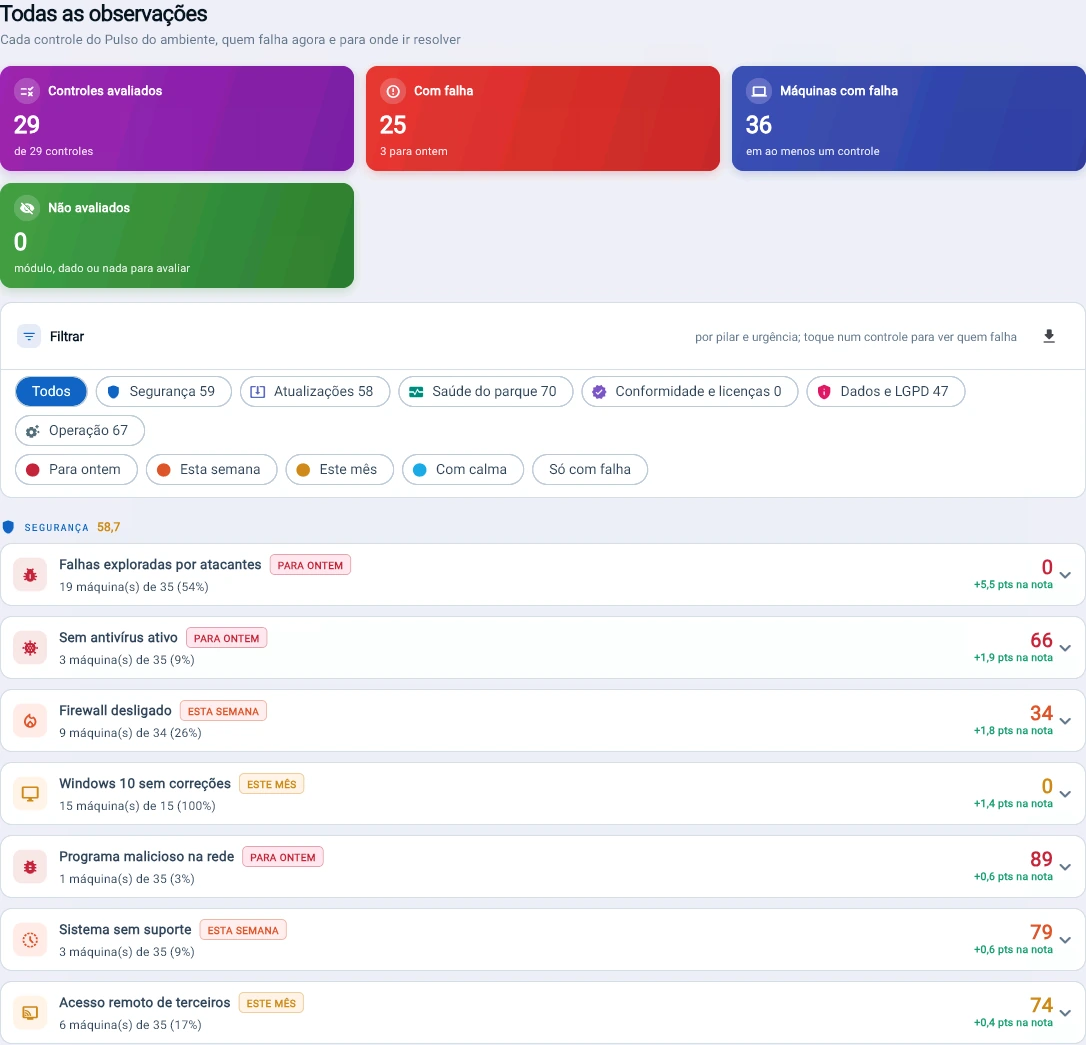
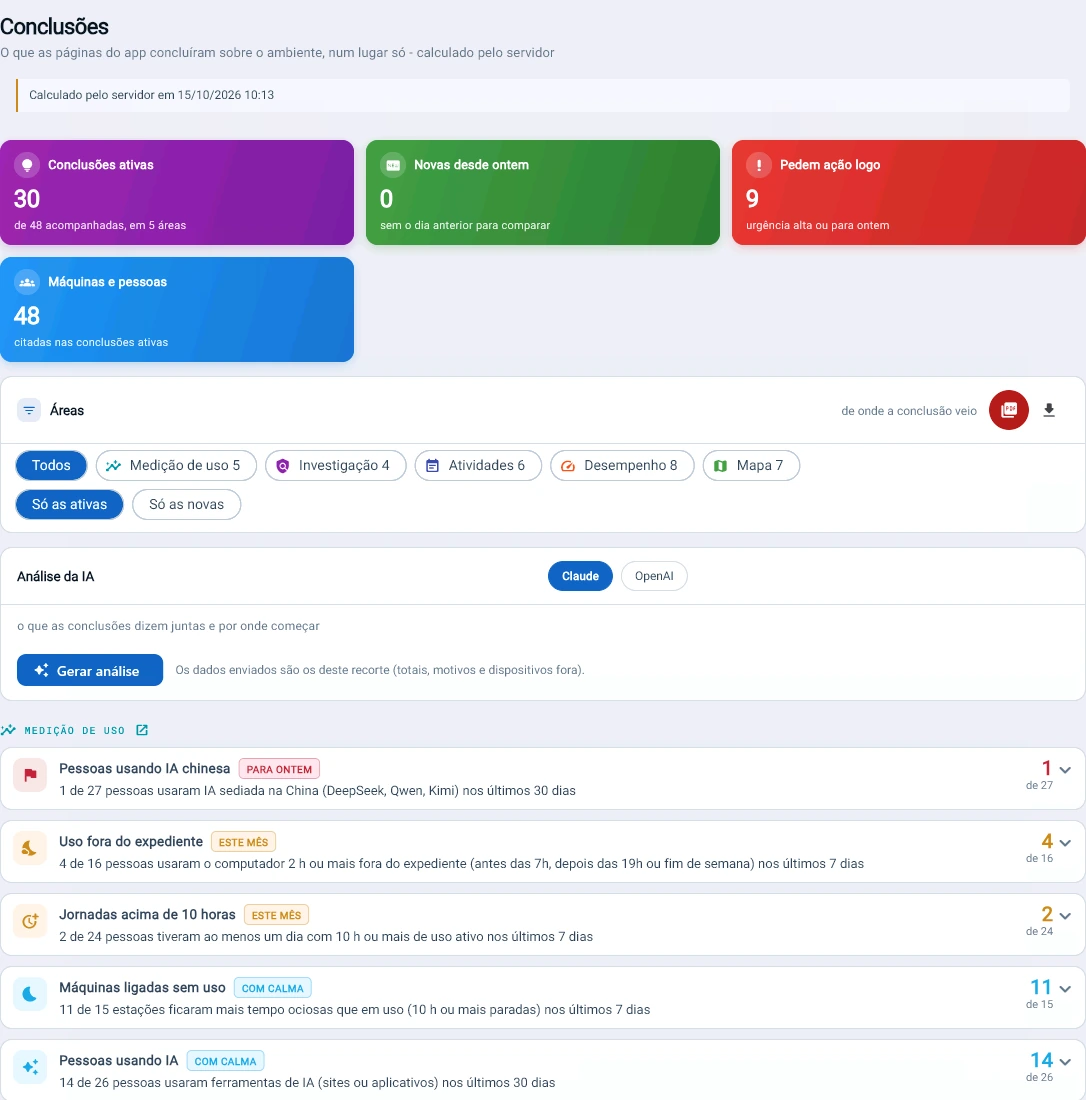
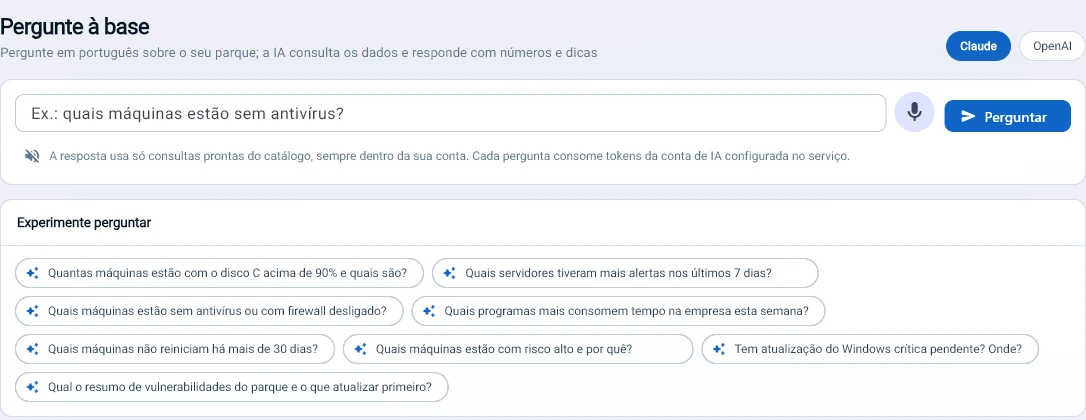
Controls from every module added up into one score, with the pillar pulling it down, how much each fix is worth and the conclusions already written. You can ask questions in plain language.
Compliance
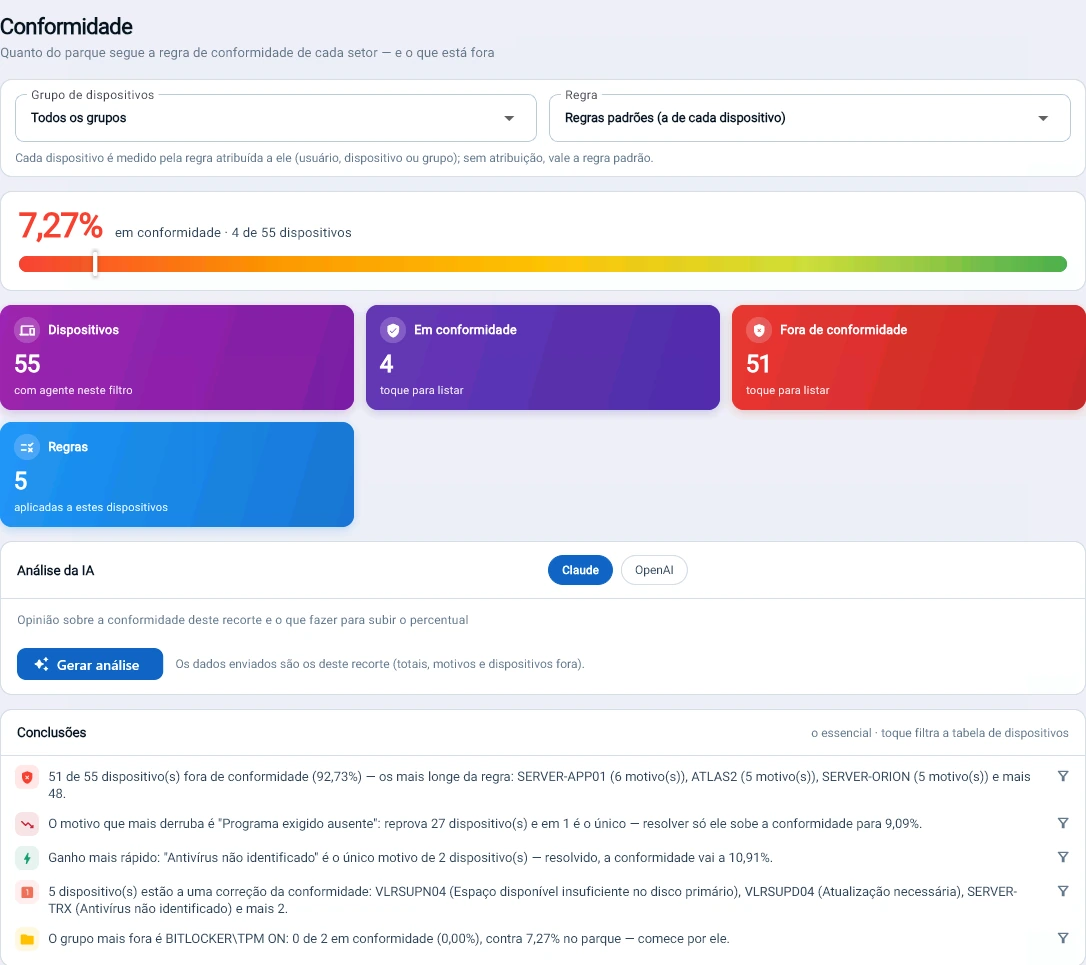
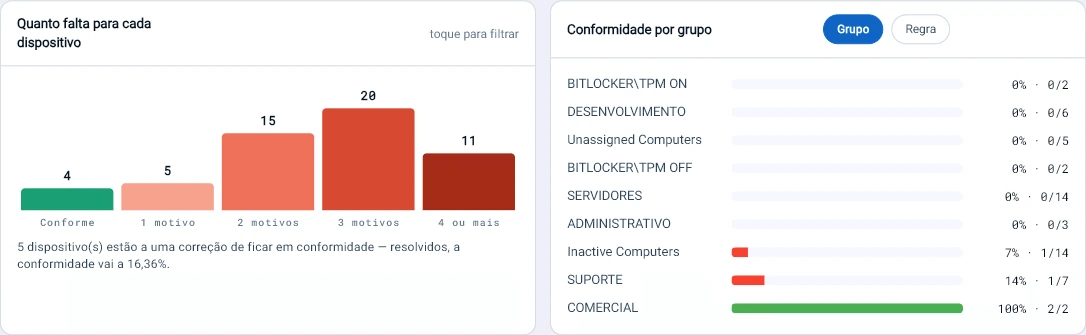
Each department’s rule, and how far there is to go.
Each group of machines with its own rule. The product shows the reason that drags compliance down the most and which devices are one fix away from complying.
Android agent
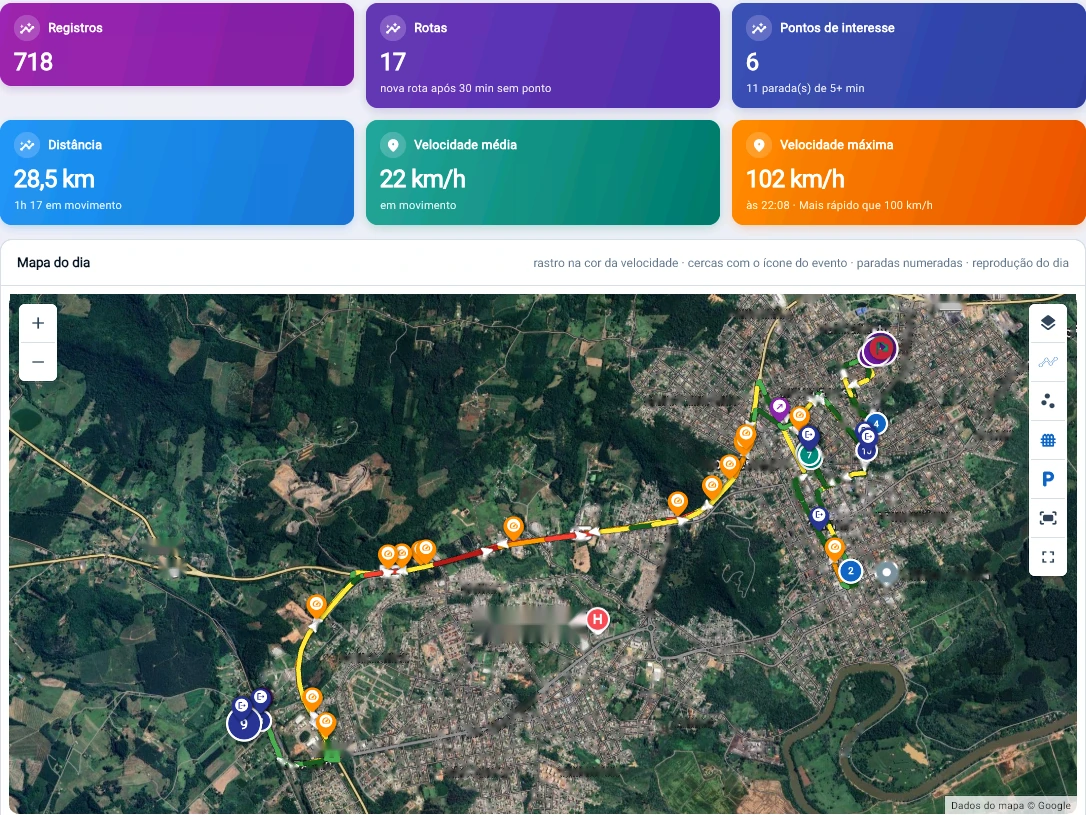
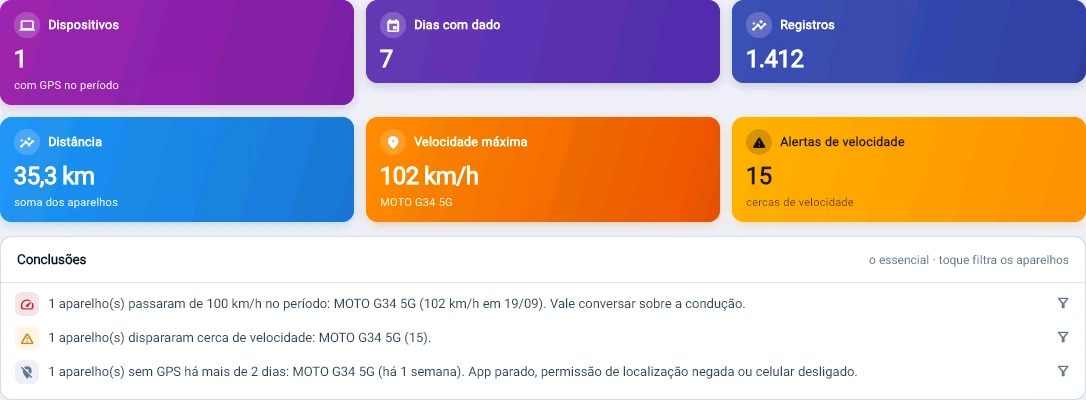
Field team phones are included too.
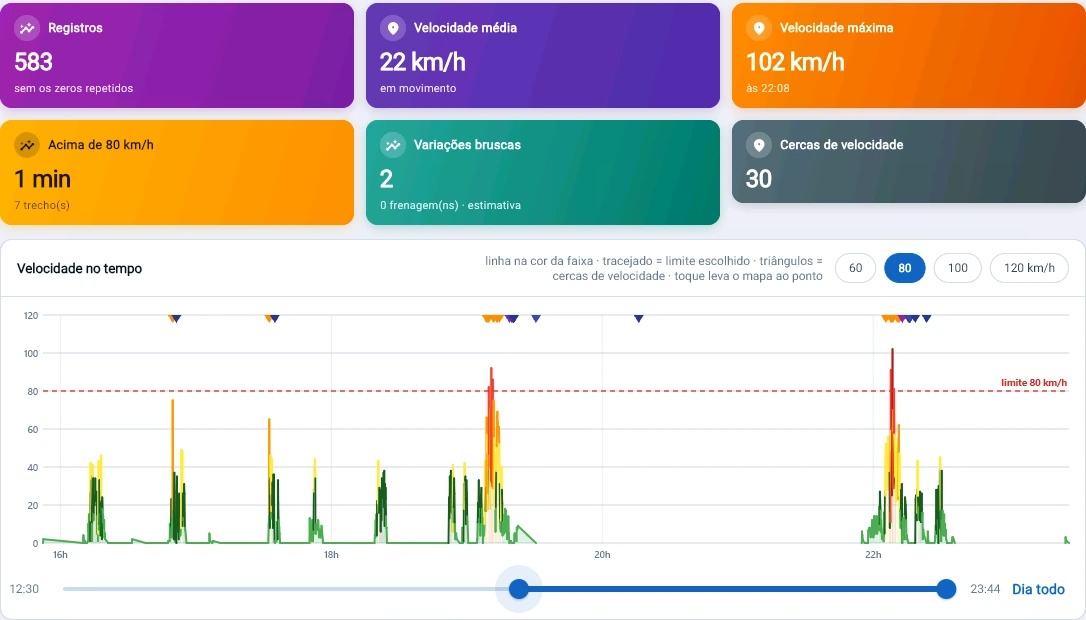
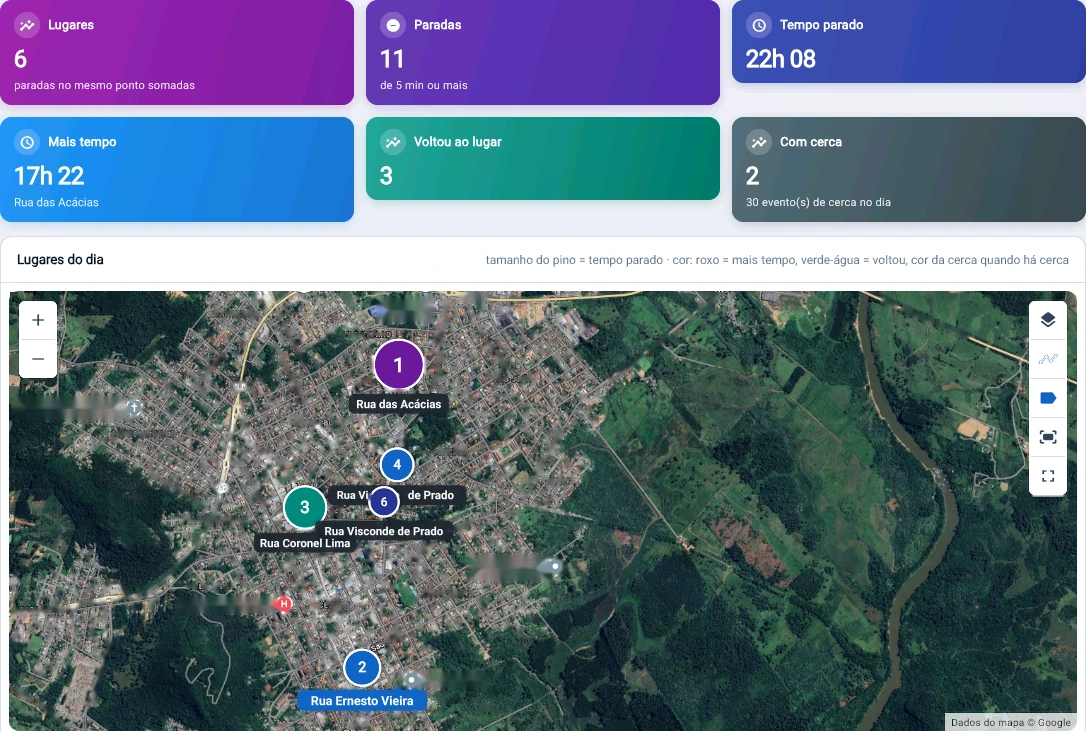
GPS, route, speed and geofences in the same console as the workstations, with a conclusion when something goes outside the expected.
On-premise
The server is yours, and it sits where you say.
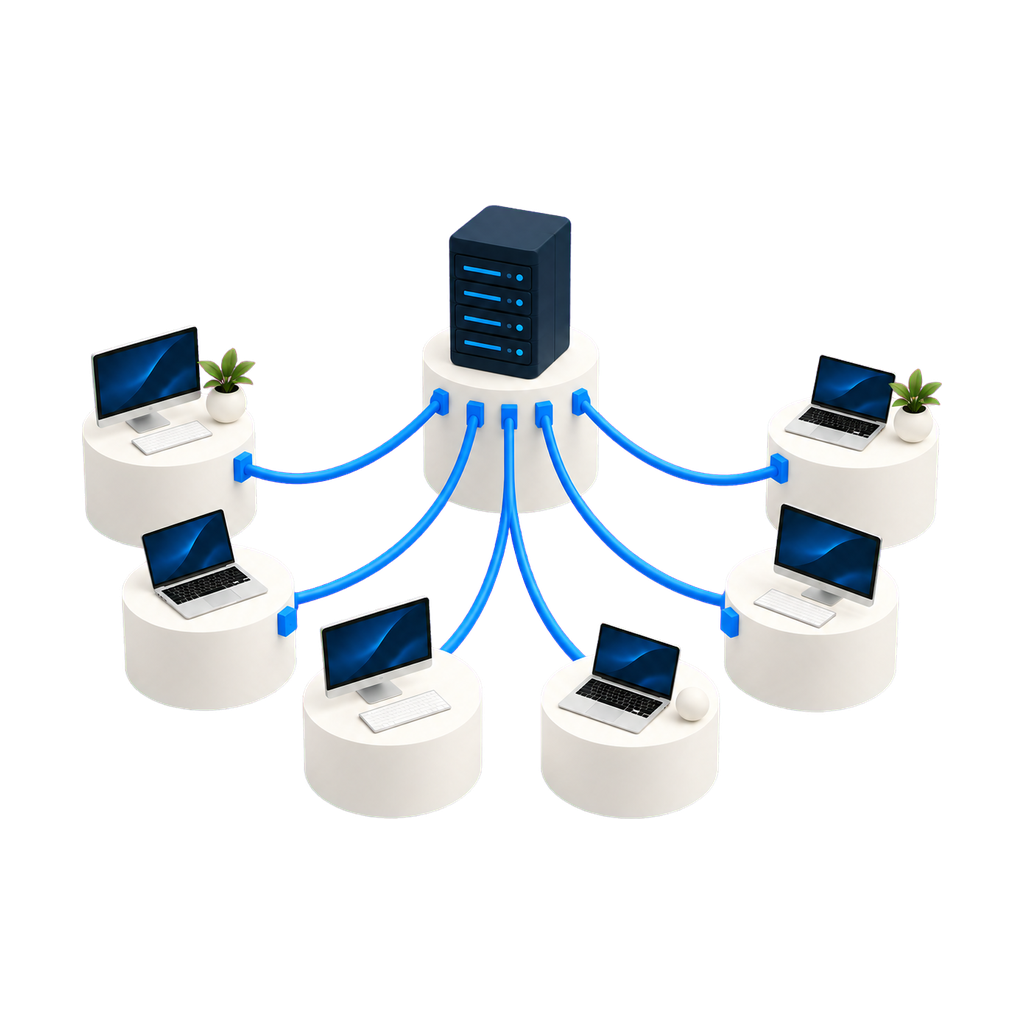
Trauma Zer0 installs inside your own infrastructure. The inventory, the evidence and the recordings stay on your server, under your retention policy and your backup — no endpoint data has to cross the internet for the product to work.
The modules
What each one solves.
Hardware and software inventory
Automated collection of every device and program across the estate, with a history of what changed and a basis for licence audits.
See the module → Tz0 RemoteAudited remote access
Take over any workstation with authorisation, credentials by level and an end-to-end audit trail.
See the module → Tz0 DeploySoftware distribution
Large-scale installation with a scheduled window, bandwidth control and automatic resume of interrupted transfers.
See the module → Tz0 SecuritySecurity policy and DLP
Blocks and rules, application-layer firewall, working-hours control and tracing for lost equipment.
See the module → Tz0 MeteringProductivity and software usage
Measurement of how each piece of software is actually used, and visibility of a distributed team, including people working from home.
See the module → Tz0 ForensicsDigital investigation
Live forensics on the workstation: tracing, video evidence, reconstruction of what was deleted and real-time alerting.
See the module →Architecture
One agent, one server, two ways to operate.
The agent collects and enforces policy on the workstation. The Tz0 server consolidates everything inside your network. Day-to-day work happens in the web console. The tooling that administers the server stays in your infrastructure, under your team.
Agent footprint on the workstation
The agent runs at below-normal priority and only rises to normal when a connection comes in — the person at the workstation should never notice it is there. And it watches itself: if it goes over 50% CPU for more than five minutes, it restarts on its own and reports the event to the server, rather than competing for the machine with whoever is working on it.
And it does not inventory over WMI. The agent reads what it needs straight from the system; WMI comes in only as a fallback, for the few items with no native read. It is a deliberate decision: WMI is expensive on the workstation and puts an entire Windows subsystem between the agent and the data it went to fetch. Anyone inventorying through WMI carries that cost and that dependency into every machine on the estate.
Included with the suite
Three tools, in every module.
A new report does not become a project. We do not build bespoke work for a single customer, but we look at every request: when the need serves everyone, the report goes into the product and reaches all customers in the next update.
Report builder
Ships with the package, not sold separately. It is for people who want to build their own reports outside the browser.
Development platform
Carries agent communication across segmented topologies and lets the product be extended.
Operations dashboard
The state of the estate on one screen, with whatever went off-target at the top. More than 600 ready-made reports, covering every module.
Start with a diagnosis of your estate.
A 30-minute technical conversation: you describe the environment, we tell you which modules solve it and in what order it makes sense to roll them out.