A technician needs to get into a branch-office workstation at six in the evening. They open the remote access tool, type the credential and close the ticket in ten minutes. Nobody asks anything else, because it is routine.
Now imagine that the same tool, installed to make IT’s life easier, is the door an intruder walks through. It is already on the network, already trusted, already allowed to control machines. It is the ideal path.
This is not a hypothesis. In 2026 a critical flaw in an enterprise remote access product showed how IT’s shortcut becomes the attacker’s shortcut.
What CVE-2026-1731 made clear
CVE-2026-1731 affects BeyondTrust Remote Support and Privileged Remote Access. According to the CISA Known Exploited Vulnerabilities catalog, it is an operating-system command injection that lets a remote attacker run commands without authentication and without user interaction. CISA added it to the catalog on February 13, 2026.
The speed stands out. According to SecurityWeek’s report of February 20, 2026, active exploitation began less than 24 hours after a proof of concept was published on February 10. On the evening of February 19, CISA flagged the entry as used in ransomware campaigns.
Reports from Palo Alto Networks’ Unit 42 describe what followed the break-in: network reconnaissance, account creation, web shells, remote management tools installed by the intruder, lateral movement and data theft.
The intruder did not need to invent a path. They used what IT had already opened for itself.
Remote access is the most valuable door on the network
It is not a one-off. Sophos’ Active Adversary report for the first half of 2024 analyzed more than 150 incident response cases from 2023. RDP abuse appeared in 90% of attacks, and external remote services were the initial access method in 65% of cases.
That is 2023 data, earlier than the 2026 episode, but it points the same way: attackers look for the service that was already built to control machines from a distance.
Why does it work so well? Three reasons:
- it already has the privilege to act on many workstations;
- its traffic looks like normal support work;
- almost nobody reads its log until the day of the incident.
The result is that a flaw in the tool and a weak policy around it end up in the same place: someone gets in with access that looks legitimate, and the first sign is the damage. Patching is necessary, but it does not answer who else already has a key.
Four questions IT should be able to answer
Before talking about tools, test the current operation. If the team cannot answer one of these with confidence, remote access is a blind spot:
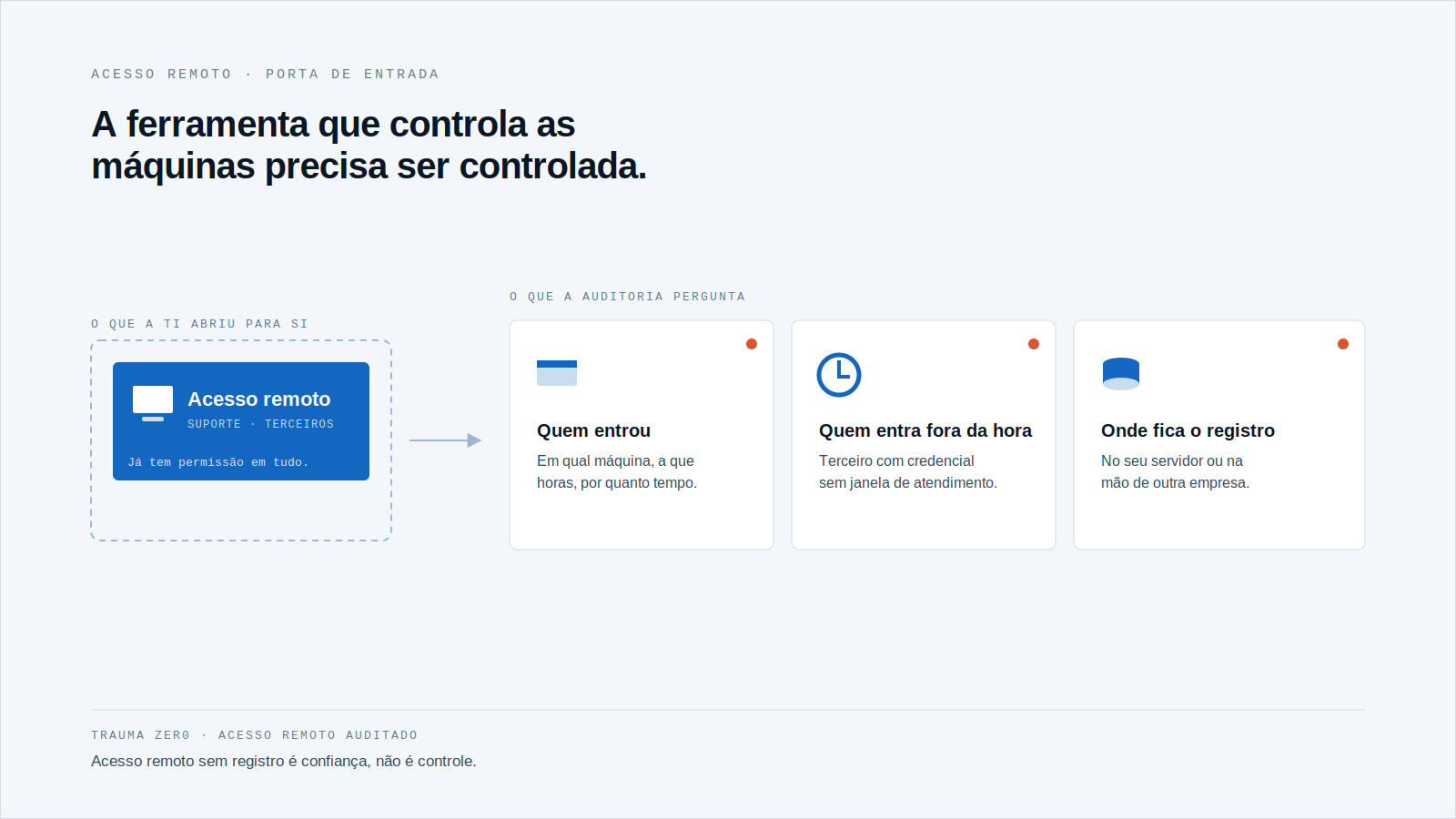
Who got in, on which machine, and when?
“The support team” does not count. What counts is the name, the device and the time of each session, so that an audit can reconstruct the day.
Who can get in outside working hours?
A third party with a permanent credential and no service window is a risk nobody remembers to review. The question is whether server access at night is denied, or merely expected not to happen.
Does the user know someone is on their machine?
On a workstation holding personal data, a session without notice is hard to explain afterwards. When policy requires it, consent has to be part of the flow, not an informal agreement.
Where is the session record kept?
If the trail lives in a third party’s service, the evidence depends on another company, another timeline and another retention policy. If it sits on your own server, it depends on you.
How Tz0 Remote handles access
Tz0 Remote starts from the idea that remote access without a record is trust, not control. The module page describes a five-step flow: request, authorize, serve, record and audit.
In practice, according to the page, the policy checks level, schedule and scope before the session. Credentials have different levels for support, infrastructure and third parties, and the service window defines when each group can be accessed, logging attempts outside it. Where policy requires it, the user sees who is asking, why and which ticket, and decides; without acceptance, there is no session.
The session takes place inside the network, with no intermediary, and is opened through SiN, the administrator’s Windows tool. The audit lives in the Dashboard, by user and by device, with a timeline and a detailed trail: connection opening, programs used, idle time and closing, each event time-stamped.
The session trail stays on the customer’s own server, alongside the rest of the evidence. That does not make the module immune to flaws: it is still software that needs updating, and its server should follow your patch policy. What changes is who holds custody of the record and the rules.
Before opening the next session
Try a simple exercise this week: pick one branch workstation and try to reconstruct who accessed it in the last thirty days, for how long and to do what. If it takes more than an afternoon, your remote access depends on memory and goodwill.
Then repeat it for third parties: list every outside company with a credential, what each can reach and when. The gaps usually show up in that second list.
For the investigation side, you may also want to read what we wrote about what paying the ransom does not explain about the machine and about three business days to explain the workstation.
If you run a large fleet and want to see that trail working in your environment, request a Trauma Zer0 evaluation.