The incident is found on a Friday afternoon: a workstation that handles customer data has been compromised. Legal asks the question IT saw coming: what exactly happened on that machine?
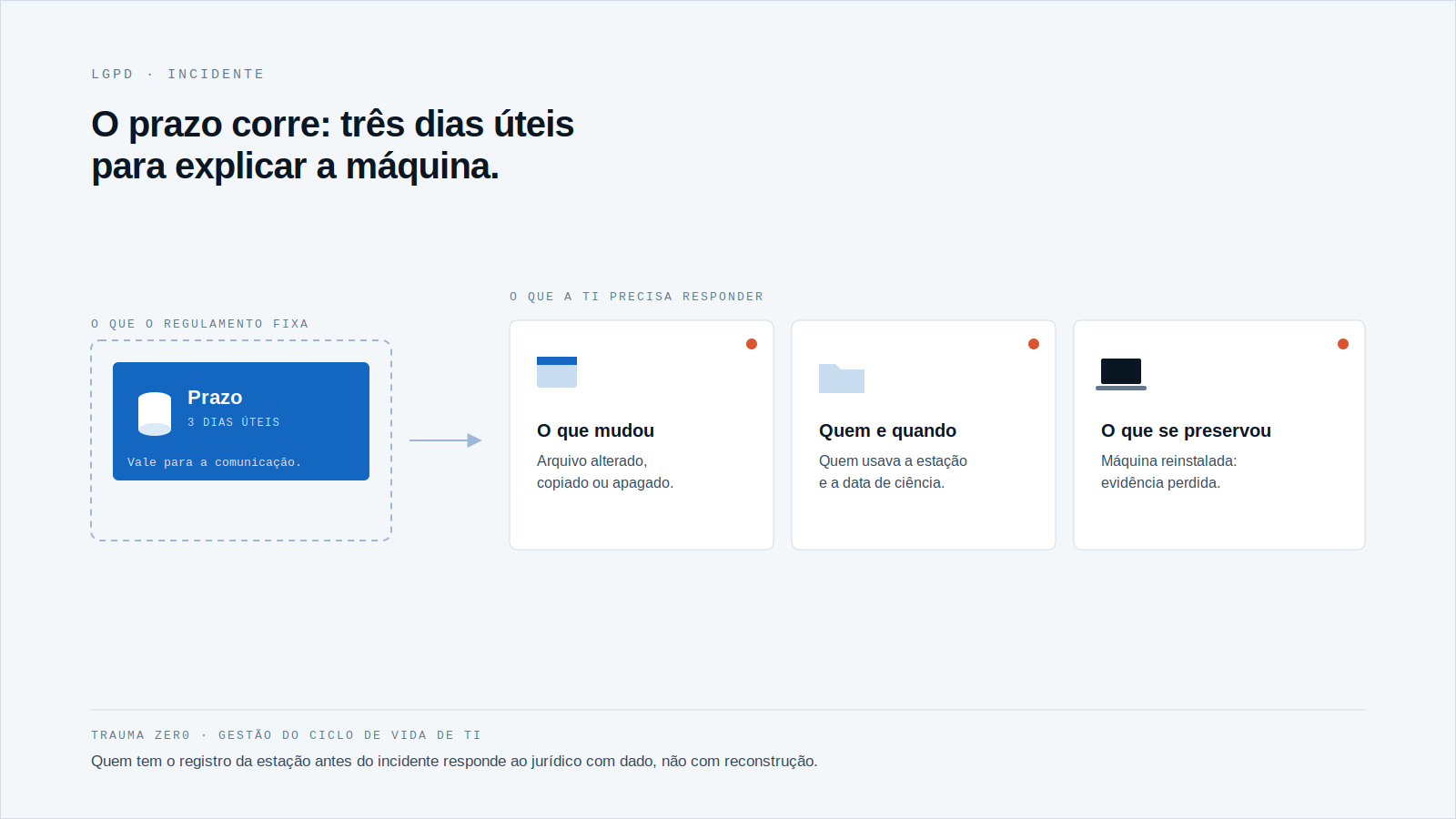
The rule for reporting the incident does not wait for the investigation to finish. Brazil’s data protection authority, the ANPD, sets a deadline of three business days, and the clock runs while the team is still building the timeline.
This post is about what changes when the deadline is short and the evidence is spread across hundreds of workstations.
What the ANPD regulation requires
The ANPD page on security incident reporting (in Portuguese) states that the controller must notify the ANPD and the data subjects within three business days. The basis is Resolution CD/ANPD No. 15/2024.
The notice to data subjects, under Article 9 of the regulation, must include at least seven items:
- the nature and category of the personal data affected;
- the technical and security measures used to protect the data;
- the risks related to the incident and the possible impacts;
- the reasons for any delay;
- the measures taken, or to be taken, to reverse or mitigate the effects;
- the date the controller became aware of the incident;
- a contact for more details and, where applicable, the data protection officer.
The notice must use plain language and, wherever possible, reach the data subject directly and individually.
The volume the ANPD already receives
According to the ANPD’s 2025 Integrated Management Report, cited in an August 2026 report by Portal Information Management (in Portuguese), the agency received 362 incident notices in 2025, nearly one a day. Between 2021 and 2025 the total was 1,508.
Those numbers say how many organizations have already gone through the form. They do not say how many filled it in with confidence, and the report does not break down the causes of the incidents.
Where the deadline gets tight
Almost every item above depends on a technical answer. When the incident starts on a workstation, IT needs to know:
What was changed, copied or deleted
Without a record made before the incident, the answer becomes inference. Someone opens the machine, looks at folders and history and concludes what they can. Whatever was already deleted drops out of the conclusion.
Who was using the machine, and when
The “date of awareness” and the timeline of what happened before it have to match some record. Without one, every date becomes an opinion.
What was preserved
If the machine was powered off, reinstalled or handed back to the user, the evidence may be gone before anyone asks for it. The three-business-day deadline does not pause for any of that.
Reporting within three business days is possible. Reporting well, with no prior record, is not.
The role of forensics on the workstation
Digital forensics, here, is not a service hired after the damage. It means having, in advance, the trail of what happens on the workstation, so the answer to legal and to the data protection officer comes from data and not from reconstruction.
It builds on what we have already covered about what paying a ransom does not explain and about deciding what gets fixed first. In every case the underlying question is the same: what happened on that machine?
How Trauma Zer0 handles the investigation
Tz0 Forensics is the Trauma Zer0 module for that question. According to the module page, an installable tracker records actions on the workstation: file changes, browsing, resource use and messenger conversations.
The module also rebuilds deleted files and identifies who changed, created or removed a folder. The collected evidence is preserved and exportable, for use in legal proceedings or internal inquiries.
The whole investigation runs in the browser, through the Dashboard, with keyword search and timeline reconstruction. The collected data stays on the customer’s own server, inside its own network.
The module does not replace the data protection officer or legal counsel: the decision to report, and what the report says, remain the organization’s. What it provides is the factual basis for that decision.
What to prepare before the incident
Three business days is enough for a team that already knows where to look. For a team that starts looking on the day of the incident, it is not. A preparation that fits in one meeting between IT and legal:
- decide who determines that something is an incident involving personal data, and who records the date of awareness;
- list which workstations handle customer, patient, student or employee data;
- agree that a compromised machine is not reformatted or handed back before the evidence is collected;
- have the contact of the data protection officer and of legal available outside business hours.
None of these items requires a tool. But each one only works if IT can later say what happened on the machine with something firmer than the memory of whoever used it.
A large estate makes the problem worse. With thousands of workstations across branches and shifts, the question “who touched this file” is not solved by walking over to the user’s desk.
Before the Friday arrives
A simple question to test your estate: if a critical workstation were compromised today, how long would IT take to tell legal what was changed, by whom and when?
If the answer is “it depends on finding the machine”, the three-business-day deadline is already short. To see how Tz0 Forensics works inside your own network, request an evaluation.