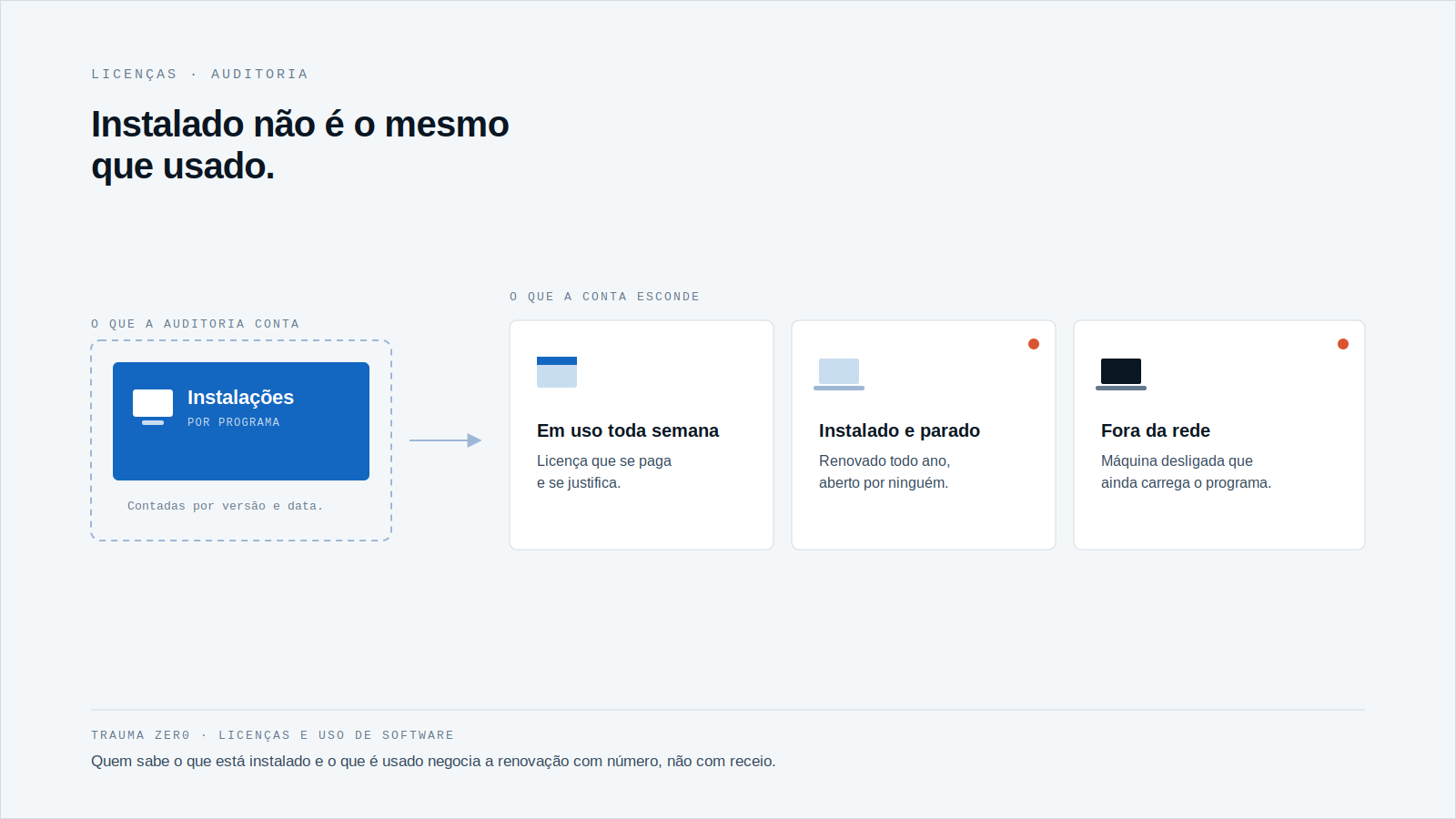
The software vendor sends the audit letter. The deadline is short and the question is direct: how many installations does the company have, and how many licenses did it buy?
Anyone who runs thousands of workstations knows what answering that in a hurry costs. The answer comes from a spreadsheet, from memory and from an old email.
And the problem is rarely the arithmetic. It is that nobody can say, with a date and a source, what is installed today.
What the surveys say about audits
Flexera’s State of ITAM 2026 report, published in June 2026 with more than 500 IT asset management professionals, found that 48% of organizations were audited in the past year.
The same study shows that 44% spent more than US$ 1 million on audits over the past three years.
And only 36% say they have complete visibility into their IT estate. According to Flexera, that is down from 43% in 2025.
These are global survey numbers, not Brazilian market data. But the mechanism is the same everywhere: whoever cannot see what they own negotiates the audit from behind.
Visibility comes before compliance
A license audit is, at heart, a question about inventory. The vendor has its contract. You need your own picture of the fleet.
If that picture is a survey from six months ago, it is already wrong. A branch installed a program, a department inherited three laptops, a machine that left service kept its software on disk.
In an audit, what you cannot prove tends to be counted against you.
That is why the work starts before the letter arrives, day to day, with continuous collection instead of a one-off sprint.
In practice that means three things: knowing what is installed on each workstation, knowing what was used and for how long, and keeping those records somewhere the company itself controls. Without all three, the answer to the vendor becomes an estimate.
The error runs both ways
Licensed less than used
This is the risk everyone knows: more installations than entitlements. The vendor bills the difference, at its own price.
Paid for but unused
This is the silent error. Every year the company renews programs nobody opens. Nobody complains, because nobody sees it.
Both errors share a cause. Counting installations alone does not tell you whether a program is used, and reading the contract alone does not tell you what is installed.
What to answer when the letter arrives
Before any negotiation, the IT team needs to answer five questions, per program:
- On how many machines is it installed today, and in which version?
- How many licenses did the company buy, and where is the proof?
- On how many of those machines was it actually used in recent months?
- Which machines are switched off or off the network but still carry the program?
- Which renewal falls due first, and what can be given back before it?
Almost nobody answers the third question. Installed is not the same as used, and the gap is money.
Why the spreadsheet falls short
A license spreadsheet starts out right and ages fast. Every new installation, every swapped machine and every removed program moves it a little further from reality.
On a large, segmented fleet the drift piles up at the edges: branches, plants, units that rarely make it into the manual survey.
There is also a difference in pace. The contract changes once a year, at renewal. The fleet changes every day. Comparing the two takes a picture that updates itself, at the fleet’s own pace.
And the picture has to keep history. An audit looks at a period, not a moment, and the question "was this program ever used here?" only has an answer if the use was recorded when it happened.
How Trauma Zer0 handles licensing
Tz0 Metering measures how long each program is actually used on each machine, in real time and with history. The module page describes identifying paid but unused licenses before renewal, which is when handing them back still matters.
The module measures resource use, not individual behavior: no camera, no screenshots. It is operated through the Dashboard.
The other side comes from Tz0 Inventory, which records every installed program with its version, date and origin, and compares what is installed with what was purchased. It also produces reports for software audits.
Both work with data inside the company’s network: it stays on the customer’s server, not in a third-party service. In banking, healthcare and government, that tends to shorten the conversation about what may leave the network.
Neither module negotiates with the vendor for you. What they do is deliver the picture that the negotiation demands.
Start with the nearest renewal
You do not have to solve the whole fleet at once. Pick the contract that expires first and answer the five questions for that one alone.
If the answer to the third question is "I don’t know", that is your starting point. Whoever knows how much each program is used negotiates the renewal with numbers, not with dread.
If you want to see how this looks on your own fleet, inside your own network, request an evaluation at traumazero.com/en/evaluation.
For more, read how Windows 10 ESU forces a machine-by-machine decision, which follows the same logic of cost per workstation.