Platform / Tz0 Remote
Module · remote access
Tz0 Remote
Audited remote access
Fixing the workstation without leaving your desk is the easy part. The hard part is answering afterwards: who connected, to which machine, when, and what they did in there — with a record that survives an audit.
Layered authentication · session recorded end to end
Session
On both sides, the session has a name.
Who asked, who answered, on which machine and for how long. The user sees that somebody connected; the audit sees the same event afterwards, with the recording attached. Remote access without that is trust, not control.
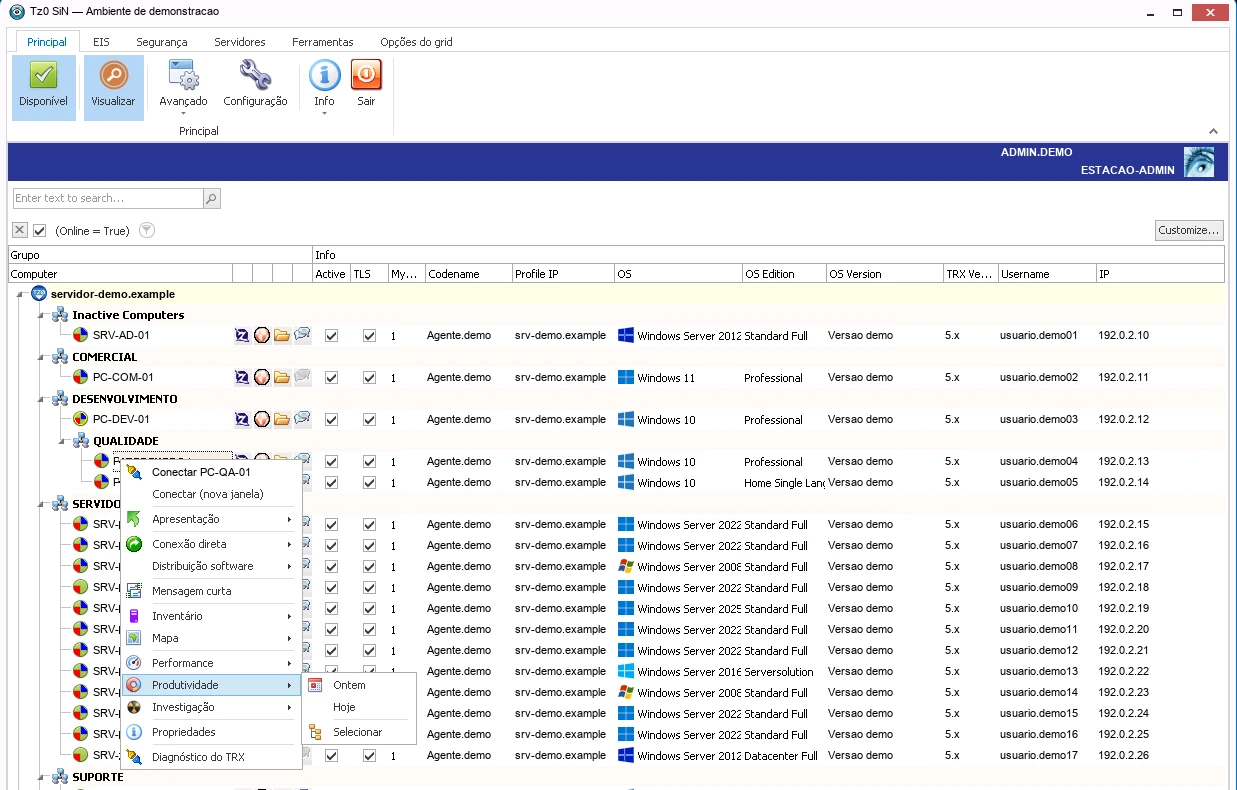
Console in a demo environment. Machines, IPs and accounts are generic; the interface is untouched.
What the module does
Access the user barely notices and the audit sees in full.
The module serves two audiences at once: the technician who needs to fix it fast and the auditor who needs to reconstruct it later.
Watch or take over
Follow the screen without interfering, or take control — with the user knowing, wherever policy requires consent.
Access audit
A management report of which machines were accessed, by whom, when and for how long.
Layered authentication
Symmetric authentication and multi-layer protection between operator, server and workstation.
Credentials by level
Not every technician needs the same reach. Different levels for support, infrastructure and third parties.
Service window
Sets when each group can be accessed, and records the attempt made outside the window.
Any link
Works on slow or unstable connections, without demanding office bandwidth to serve a branch.
Minimal impact on the user
Assistance without freezing the machine of whoever is working — support does not turn into downtime.
Windows and Linux
One console serves both, with no separate tool per operating system.
How it works
From the ticket to the record that closes the audit.
Every session is born authorised and dies recorded. There is no anonymous access anywhere along the way.
Where the session happens
Access in the Windows tool. The audit in the browser.
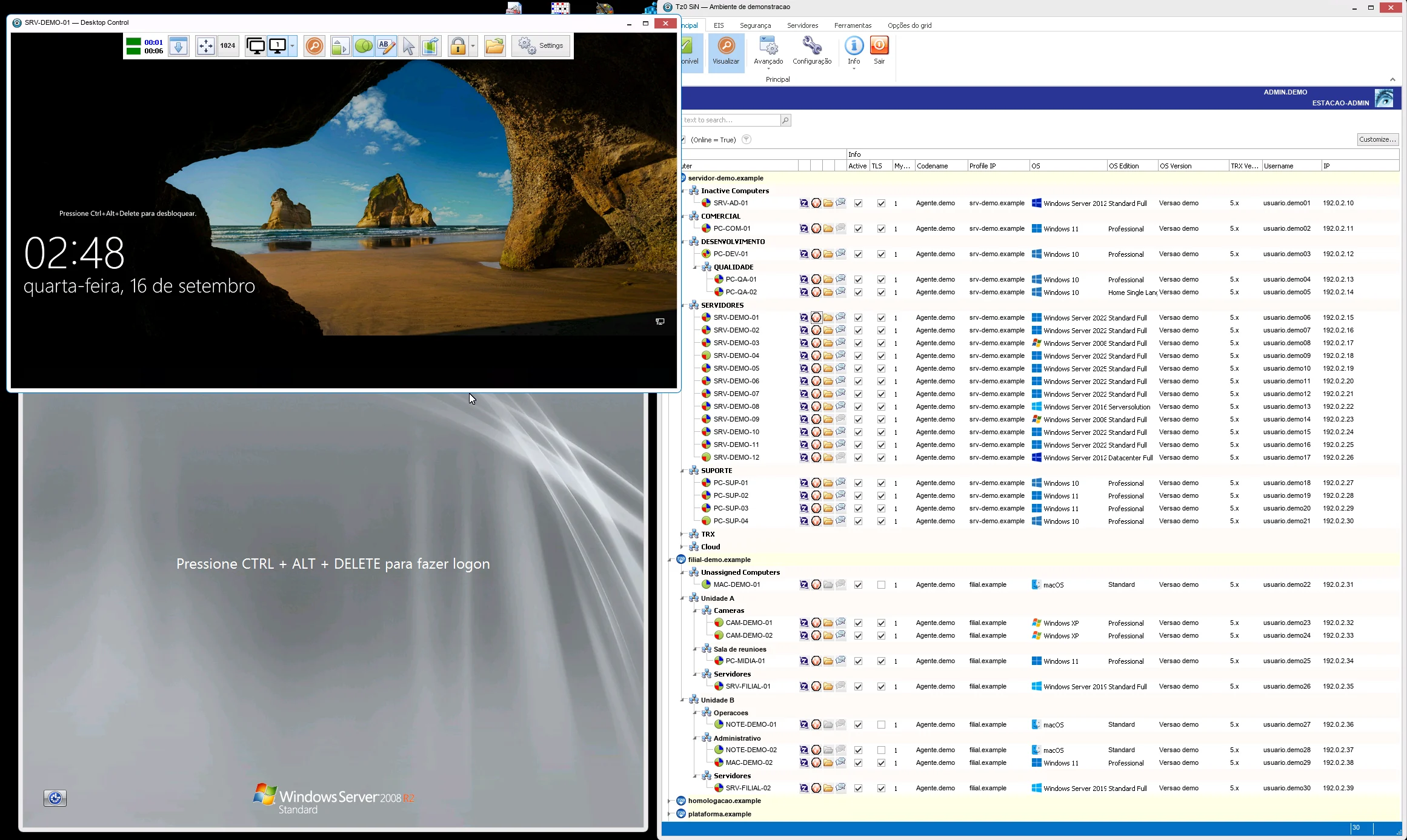
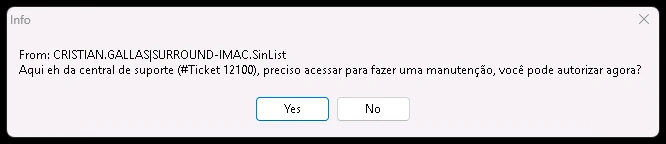
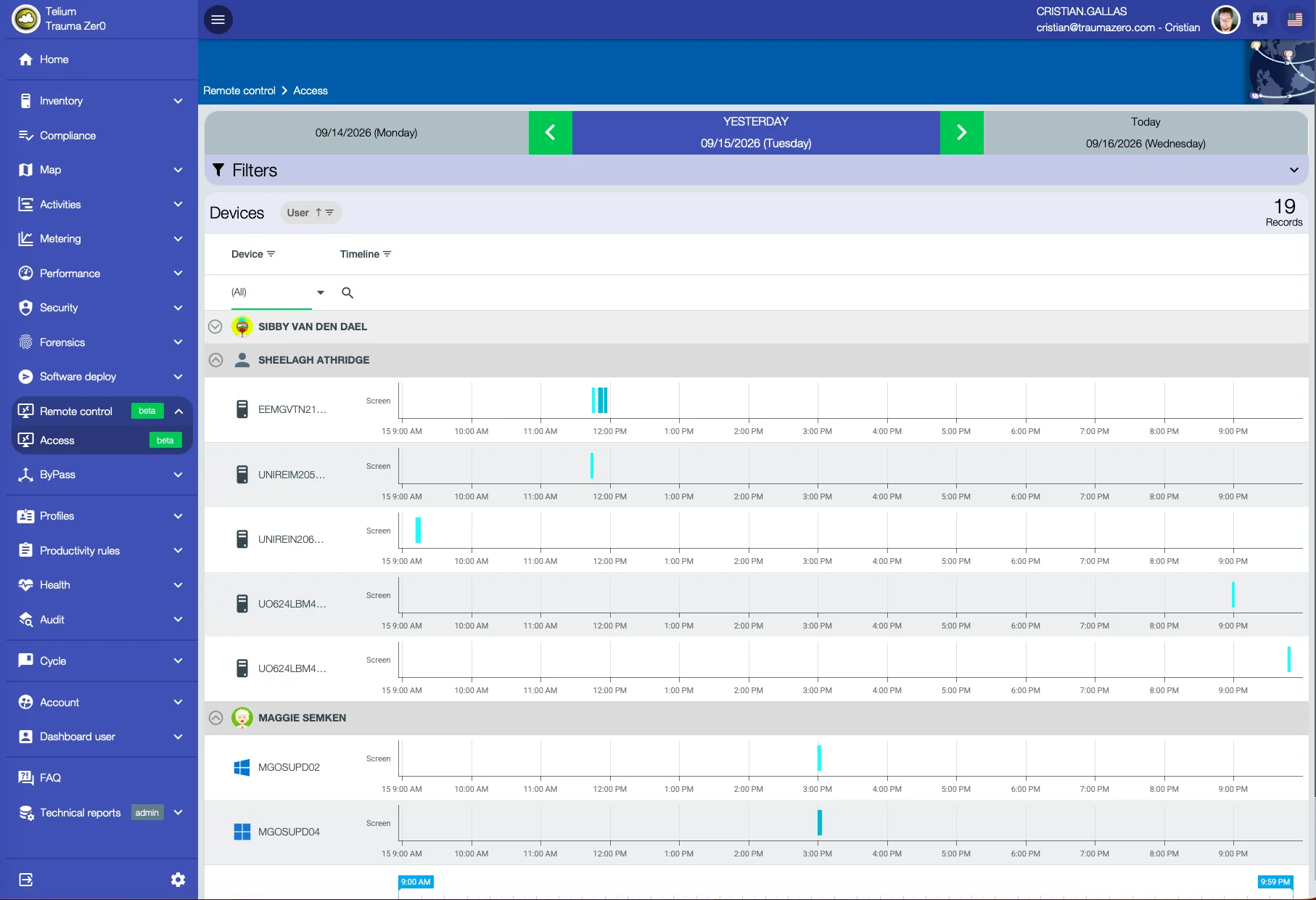
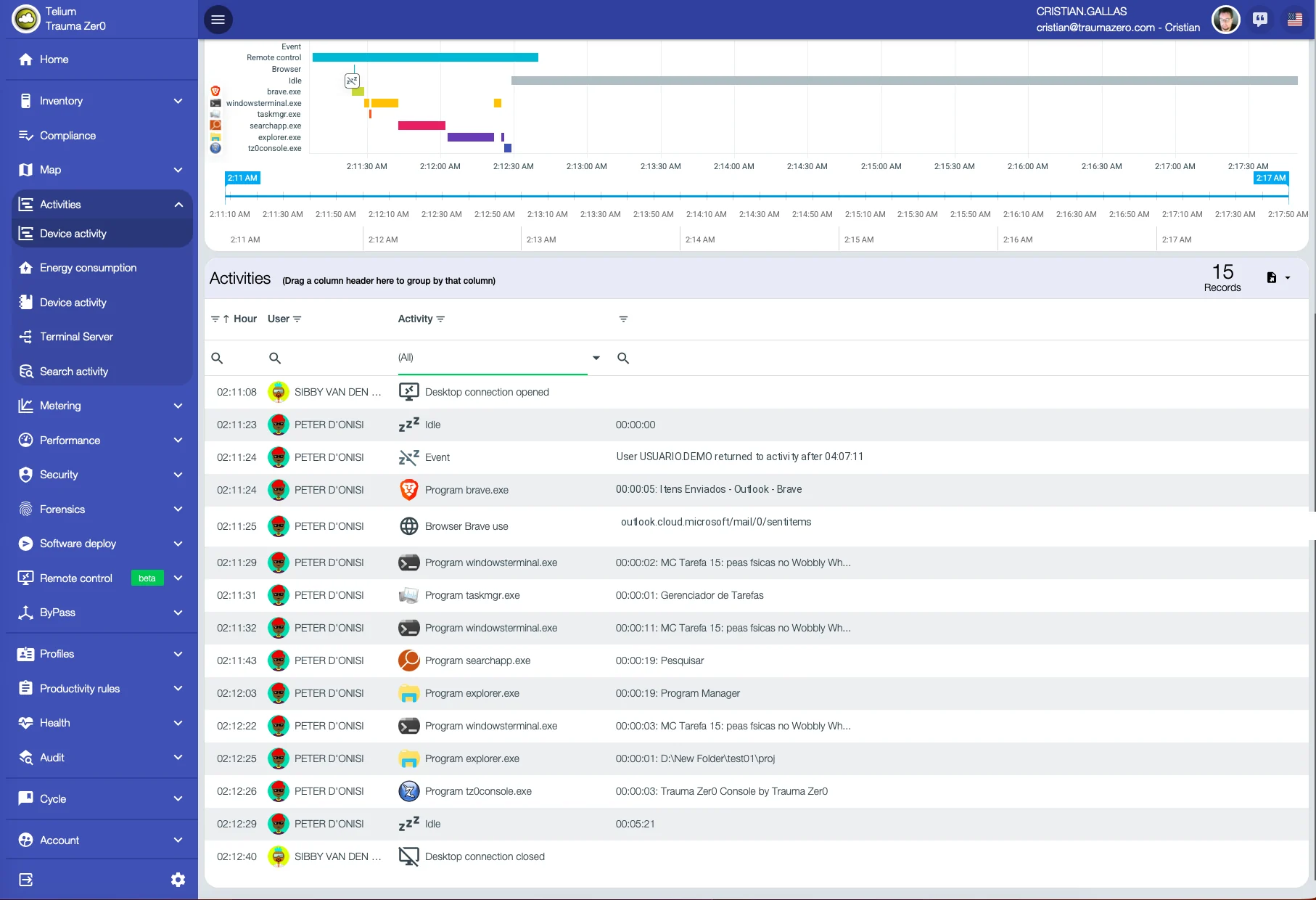
Screens from a real estate in production, not a demo environment — except the console and the session, deliberately staged in a demo environment. Anything identifying people or addresses was replaced with generic equivalents before publishing; percentages, timestamps and the interface itself are untouched.
What changes in practice
Eight things that stop depending on trust.
Included with the module
Three tools in the same package.
A new report does not become a project. We do not build bespoke work for a single customer, but we look at every request: when the need serves everyone, the report goes into the product and reaches all customers in the next update.
Report builder
Ships with the package, not sold separately. It is for people who want to build their own reports outside the browser.
Development platform
Carries agent communication across segmented topologies and lets the product be extended.
Operations dashboard
The state of the estate on one screen, with whatever went off-target at the top. More than 600 ready-made reports, covering every module.
Who works this way
Remote support on a large estate.
“Network availability went up during system update rollouts.”
Translated from Portuguese
Has used Tz0 for more than ten years for remote support across an estate of around 13,000 computers.
Other modules
How many trips did your team make last month?
A 30-minute technical conversation: you describe the topology and the access policy, we point out what can be handled remotely and what still needs someone on site.