Platform / Tz0 Inventory
Module · inventory
Tz0 Inventory
Hardware and software inventory
How many licences is your company paying for today? And how many are actually installed? When the two answers do not match, the gap shows up in the audit — or on the invoice.
Automatic collection · no walking the network point by point

Estate coverage
From the workstation on the desk to the terminal in the branch.
The agent is the same on every Windows machine — desktop, laptop, server or self-service terminal. Each one reports to the same point, and the whole estate fits on a single screen.
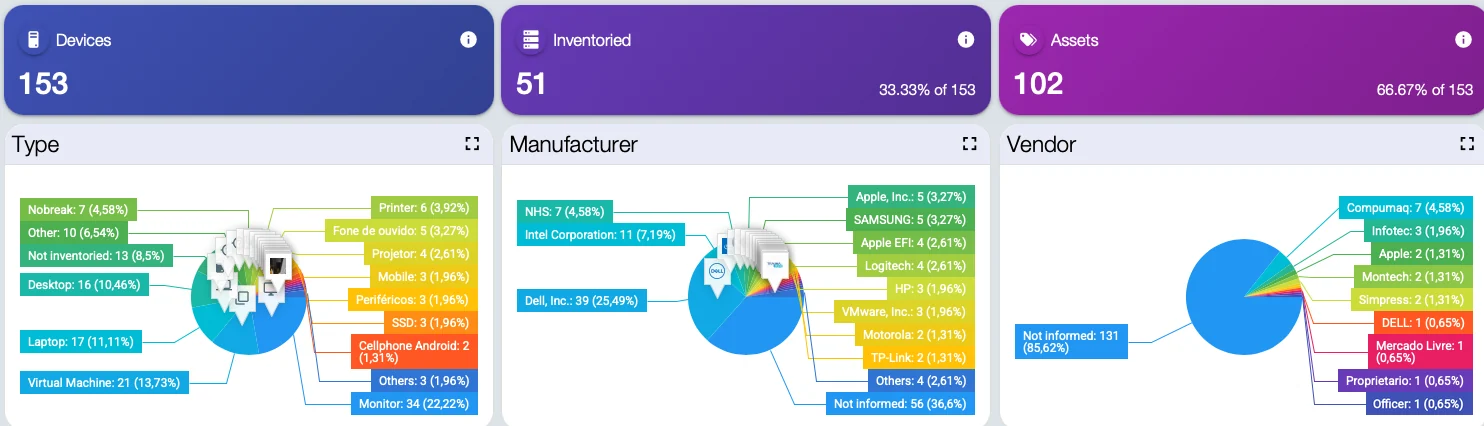
Console capture from an estate in production. Machine and person identification replaced; figures untouched.
What the module does
The whole estate described, without anyone leaving their desk.
The agent collects what is on every machine and keeps the picture current. What you do with that picture is what separates an inventory from asset management.
Complete hardware and software
Every physical component and every installed program, with version, date and origin — not just what Windows lists.
Licence management
Cross-checks what is installed against what was bought. The idle licence shows up before renewal, not after.
Audit compliance
A report ready for software audit, aligned with ITIL good practice, with no all-hands scramble the night before.
Configuration change
Is the machine you bought still the same machine? Swapped memory, disks and cards raise an alert.
Beyond hardware and software
Custom forms capture what the agent cannot see on its own: contracts, physical licences, invoices, location.
Lower TCO
Real cost per asset across its working life, based on what is in use — not on what the spreadsheet says.
Preventive maintenance
Scheduled by hours of use or by event, before the machine stops in the middle of the working day.
Cross-platform
Windows, Linux and the purpose-built devices each operation runs, including ATM peripherals.
How it works
From the agent to the audit report.
Collection is continuous and incremental: after the first sweep, only the difference travels the network.
The console
You query it in the browser. The collection happens on its own.
There is no scan to schedule and no survey to trigger: the agent installed on each workstation picks up what is there and sends it to the Tz0 server. The console is where the IT team looks at the result — and the screens below come from a real estate, with ageing machines, disks at their limit and software nobody remembers installing.
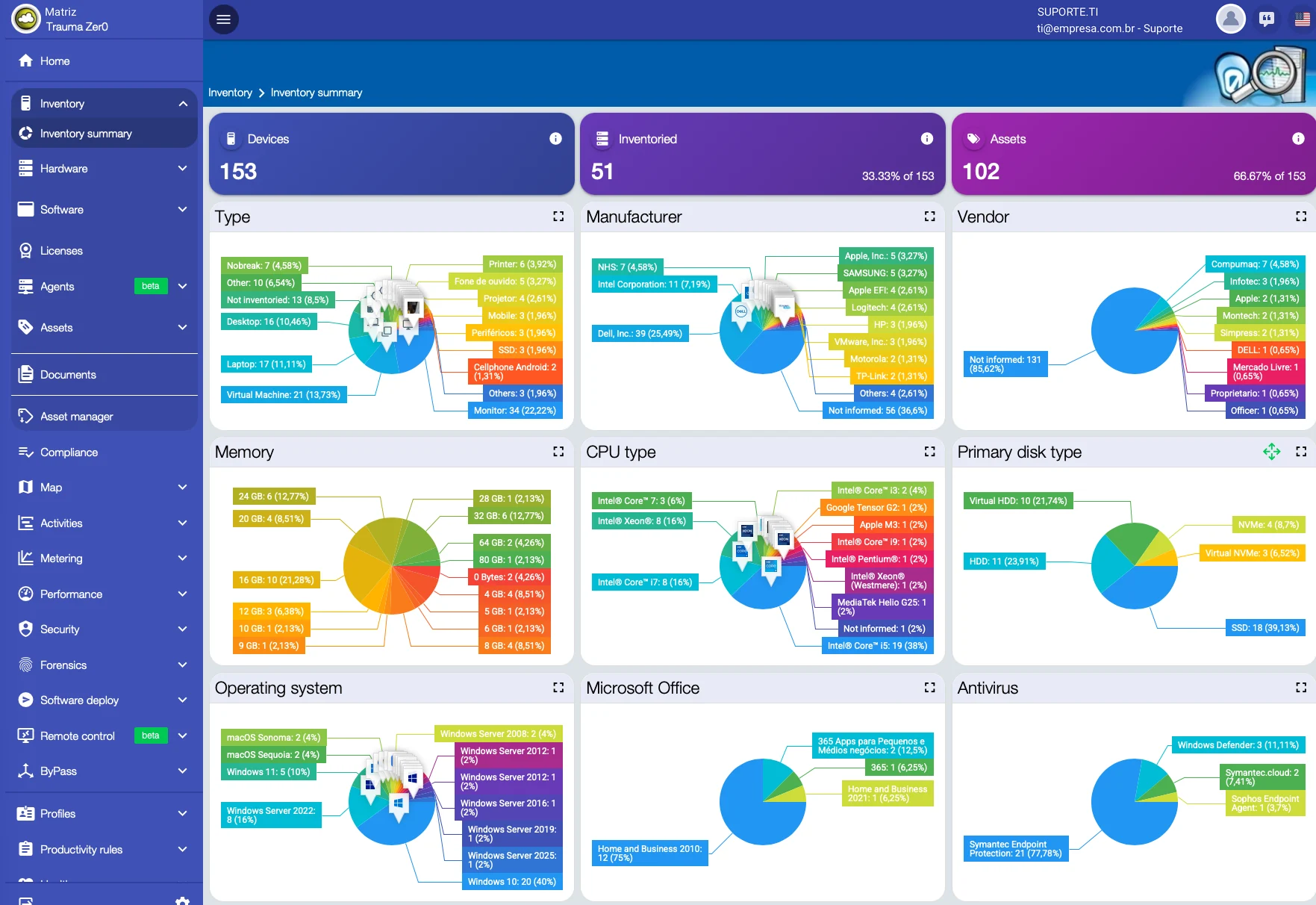
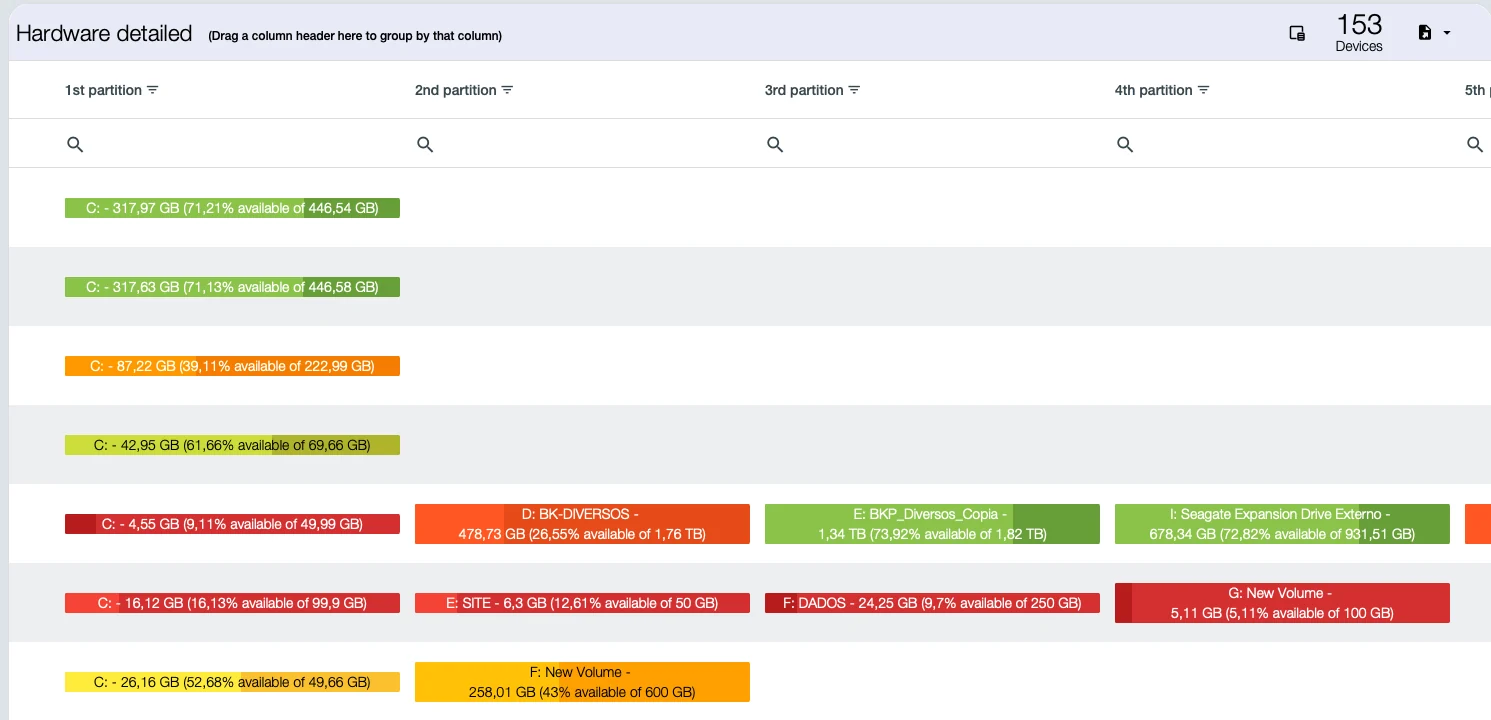
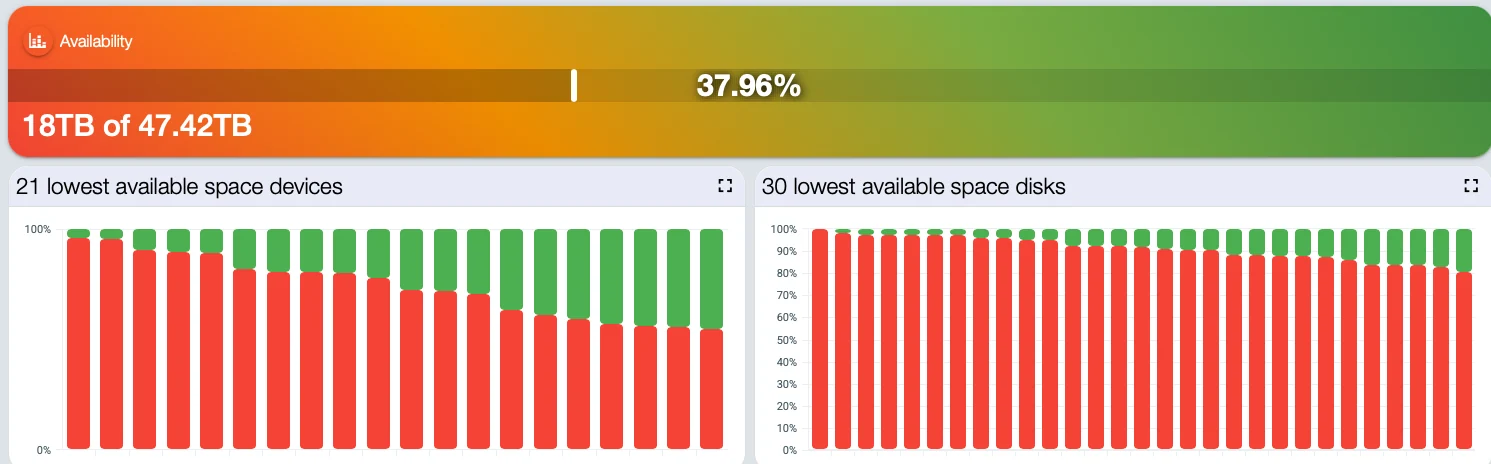
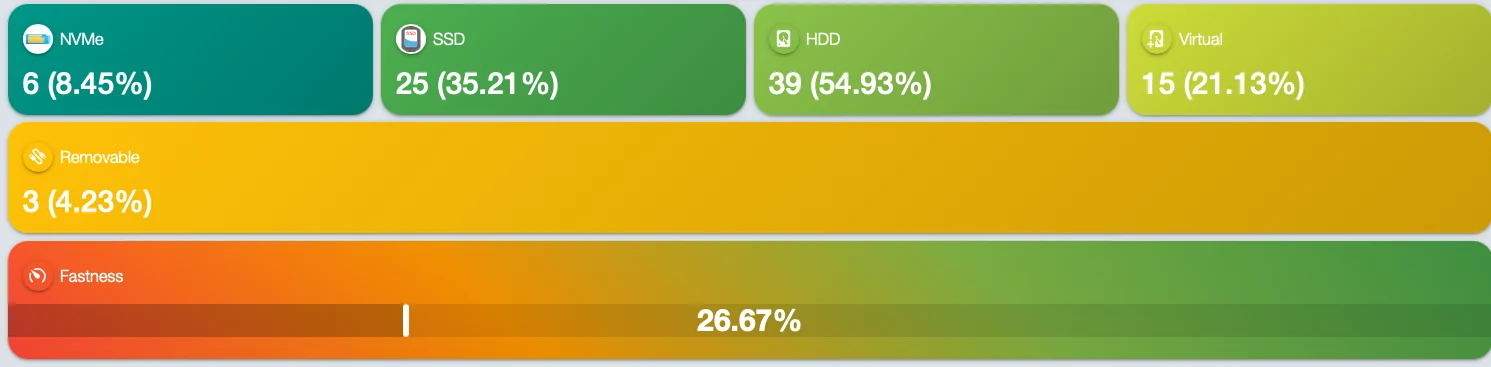
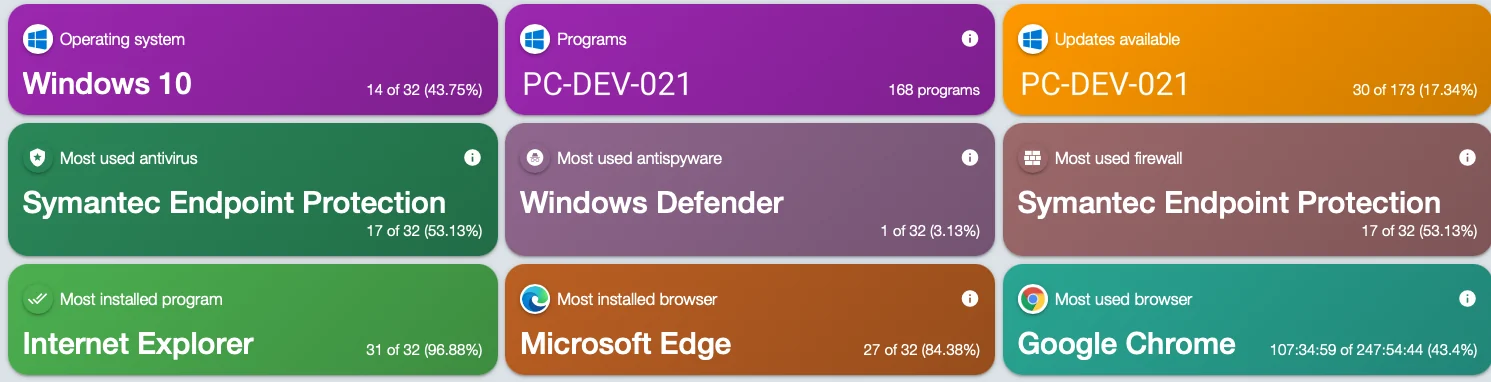
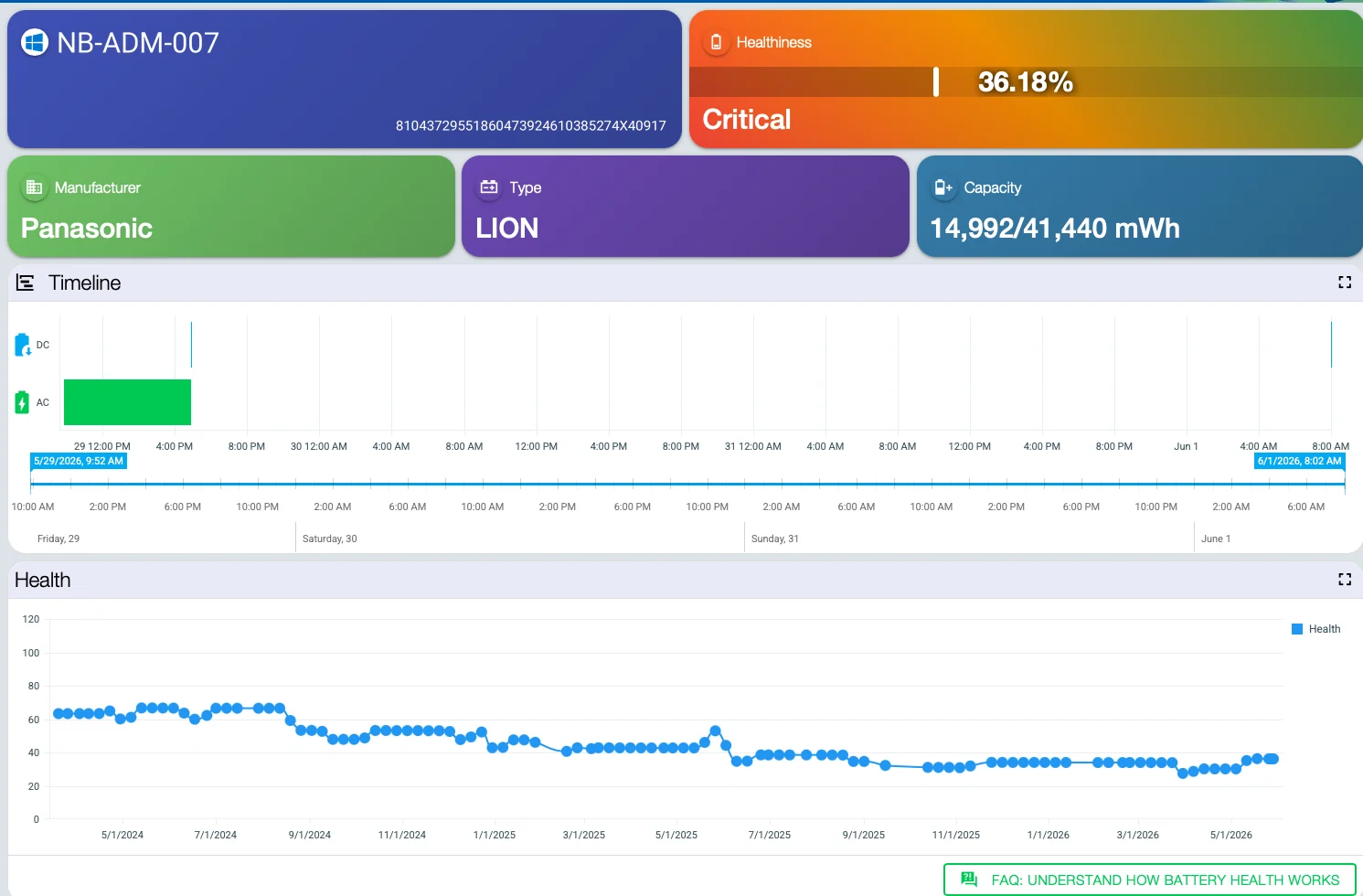
Screens from a real estate in production, not a demo environment. Machine names, user accounts and anything identifying a person were replaced with generic equivalents before publishing; figures, percentages and the interface itself are untouched.
What changes in practice
Eight questions that start having answers in minutes.
Included with the module
Three tools in the same package.
A new report does not become a project. We do not build bespoke work for a single customer, but we look at every request: when the need serves everyone, the report goes into the product and reaches all customers in the next update.
Report builder
Ships with the package, not sold separately. It is for people who want to build their own reports outside the browser.
Development platform
Carries agent communication across segmented topologies and lets the product be extended.
Operations dashboard
The state of the estate on one screen, with whatever went off-target at the top. More than 600 ready-made reports, covering every module.
Who works this way
Large estates, inventory up to date.
Manages around 13,000 computers with Tz0, for more than ten years, across inventory, audit and software distribution.
“Tz0 helps us a great deal in audits, which generally have a lot to do with security.”
Translated from Portuguese
Other modules
Find out what is on your estate before the next audit.
A 30-minute technical conversation: you describe the environment, we show what Inventory collects on its own and what needs a form.